Quick answer: Shophunter is a Shopify research tool that estimates how much a store and each of its products sell, with Facebook ads on its top plan. There’s no free plan. New accounts get a three-day trial for $1, then Basic at $50 or Professional at $75 a month.
What Shophunter is, in its own words
Shophunter’s homepage title, the text in the browser tab, reads “Voted The Best Shopify Spy & Product Research Tool”. Nowhere on the page does it say who did the voting. The FAQ sounds more modest: “an easy-to-use product exploration tool that provides you sales, revenue, and ad insights for any Shopify store.” In practice you enter a store address and get its estimated revenue by day, week and month. You also see which products drive it and, on the higher plan, the Facebook ads it runs.
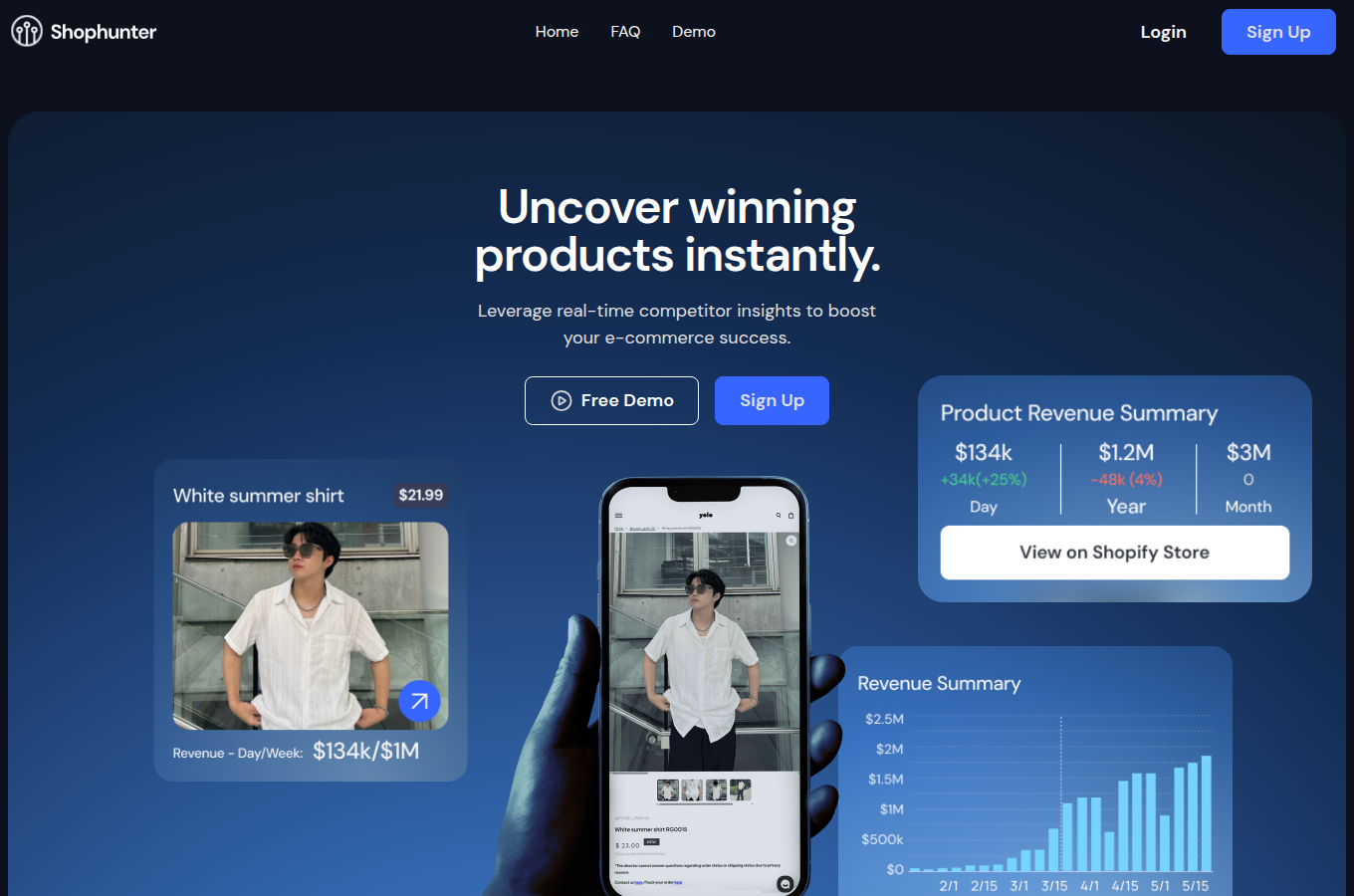
The first screen has a slip I noticed before I’d scrolled at all. The sample “Product Revenue Summary” card shows $134k for a day, $3M for a month and $1.2M for a year. So the year comes out smaller than one of its own months. It’s a marketing mock-up, and nobody should read it as live data. Still, it’s the first figure a visitor sees on a tool whose whole product is revenue figures.
Shophunter data: where the revenue numbers come from
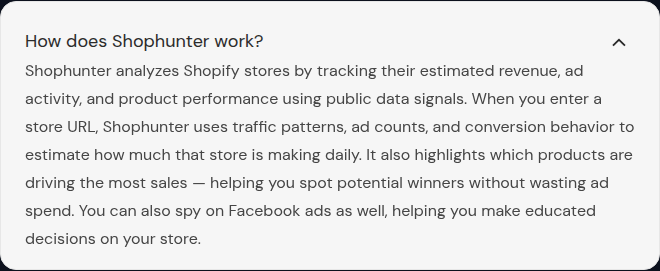
Shophunter data is an estimate, and the FAQ explains how it’s built: “When you enter a store URL, Shophunter uses traffic patterns, ad counts, and conversion behavior to estimate how much that store is making daily.” I couldn’t find an accuracy figure anywhere, or any note on how the model was tested against real store sales.
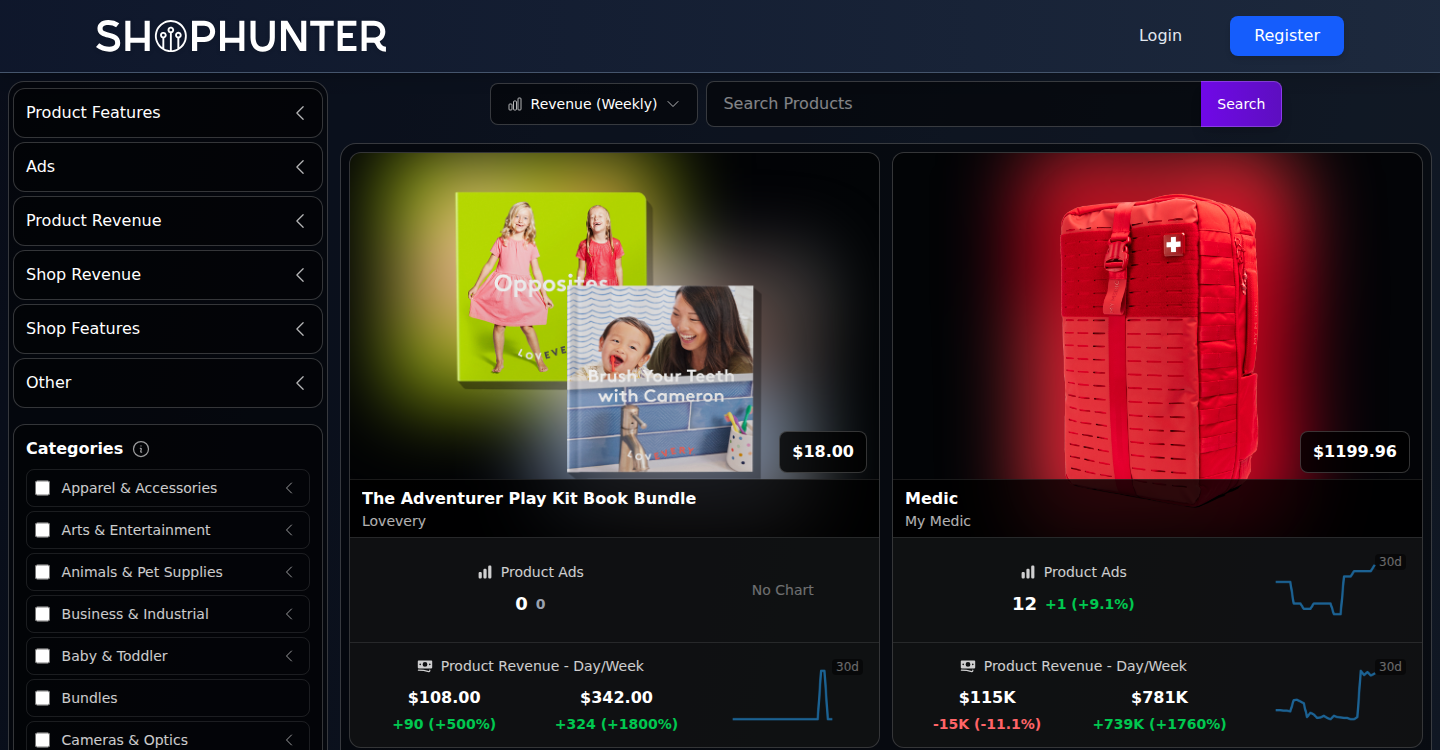
The public demo, called Winning Products Finder, shows what those estimates look like without an account. Each product card carries a price, an ad count and revenue for the day and the week. The first card in the weekly revenue sort had zero product ads and still showed revenue: a Lovevery play-kit bundle at $108 for the day and $342 for the week.
Next to it, a $1,199.96 first-aid backpack from My Medic had 12 ads and $115K for a single day. Its weekly figure was marked up 1,760%. Swings like that are what you’d expect from a model built on traffic and ad counts, so I read them as direction rather than as sales.
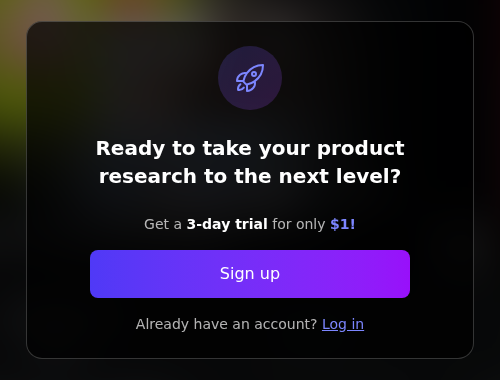
The demo works as a shop window. When I typed a product into its search box, I got a window offering “a 3-day trial for only $1!” instead of results.
That’s also where my check stops. I didn’t pay the dollar, so I never saw Explore Shops or Explore Ads from the inside. I can’t say how fresh the data is, and Shophunter doesn’t name the size of its store database anywhere I looked.
How Shophunter suggests you validate a product
Shophunter’s FAQ lays out a method for checking a product before you spend on ads. It’s a reasonable checklist even if you never open the tool.
There are four signals. Sales concentration means a product brings in “50%+ of a store’s estimated revenue”. Ad saturation is “8+ active ads, launched within the last 2–3 weeks”. Revenue velocity points to stores with “steady or increasing daily revenue between $5K–$10K/day”. The last is a spike in duplicated creatives, which “usually means the advertiser found a winning angle and is scaling it”.
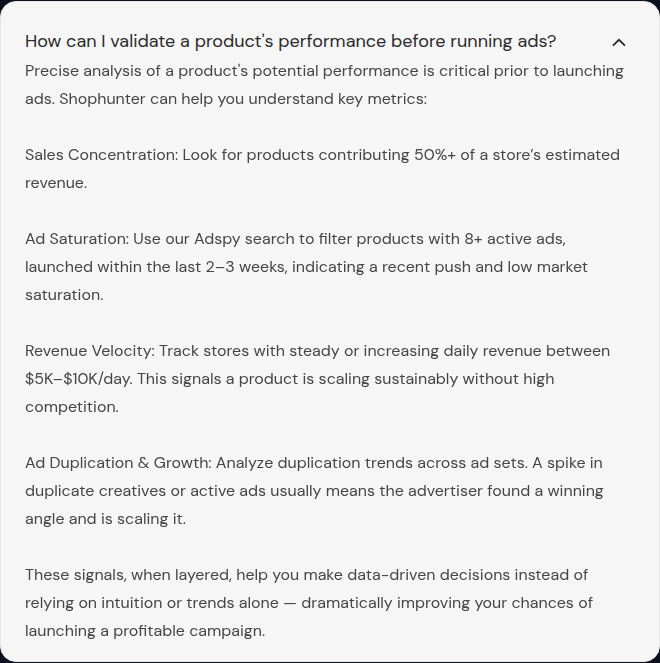
Read closely, the method leans on itself. Three of the four signals use the revenue estimate, so the checklist inherits whatever error the model has. The ad-saturation step names the “Adspy search”, and the pricing page lists Explore Ads only on Professional. Product cards in the demo do show an ad count. Filtering products by active ads, though, is the Professional feature. If you plan to follow the method as written, budget $75 a month, or $50 for the first month with the promo code.
Shophunter.io: a $1 trial instead of a free plan
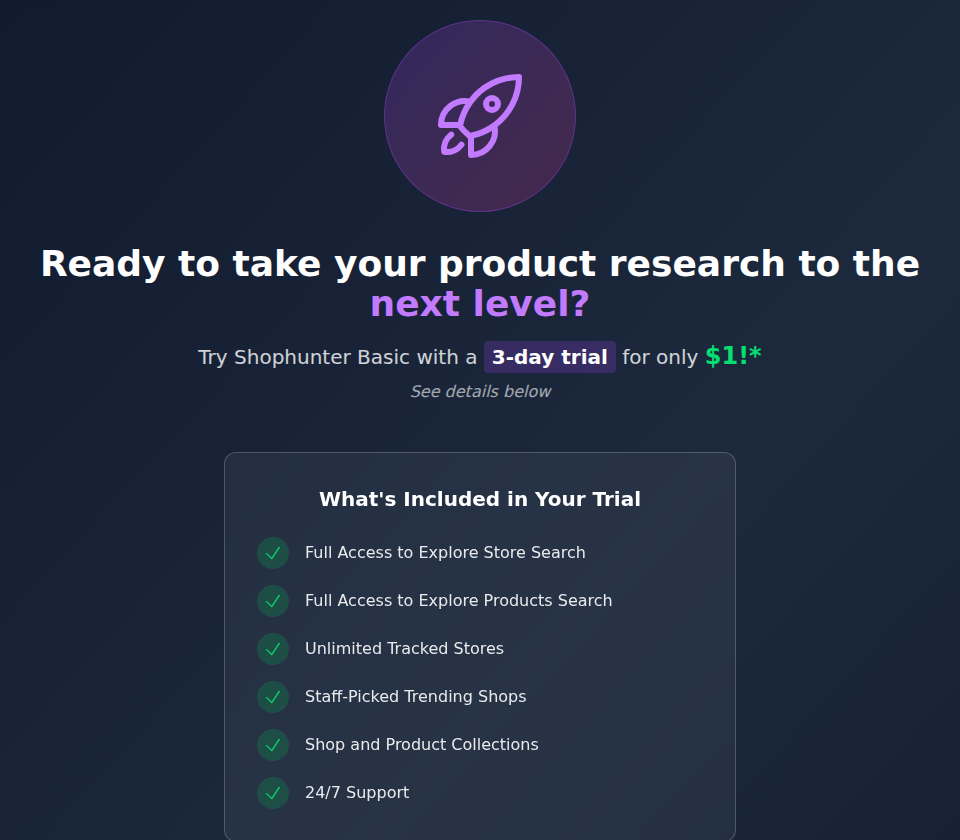
There’s no free plan on shophunter.io. After signing up, the account has to be confirmed by email. The first time in, you land straight on a trial page: “Try Shophunter Basic with a 3-day trial for only $1!” Every Explore section sent me back there until a payment went through. The trial covers store search, product search, unlimited tracked stores, staff-picked shops and collections.
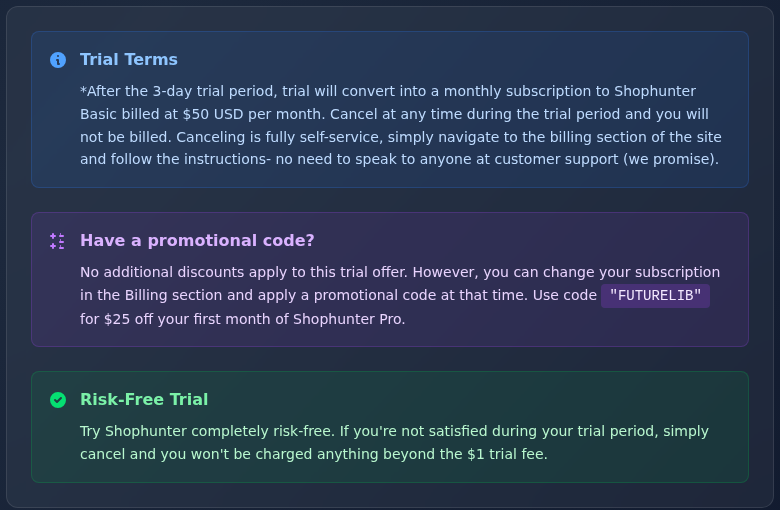
The terms underneath are plain about what happens next. After three days, the trial “will convert into a monthly subscription to Shophunter Basic billed at $50 USD per month”. Cancelling is self-service from the billing section.
The same page offers the code FUTURELIB for $25 off the first month of the Professional plan. A box titled “Risk-Free Trial” promises you “won’t be charged anything beyond the $1 trial fee”. That’s accurate, though the trial still costs a dollar. The billing FAQ says the same in its own words: “none of the paid plans have free trial periods.”
Shophunter pricing: Basic, Professional, and ads only on the second
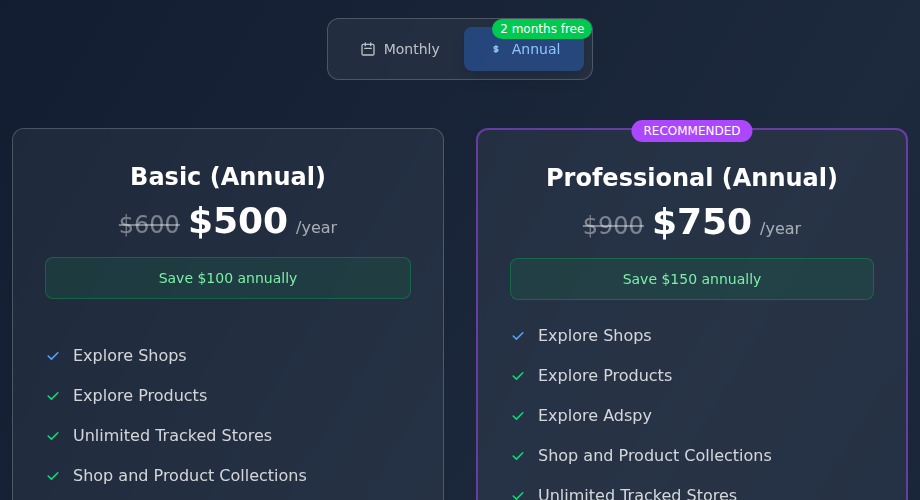
Shophunter pricing has two plans. Basic costs $50 a month and covers Explore Shops, Explore Products, unlimited tracked stores and collections. Professional costs $75 a month and adds Explore Ads, the Facebook ad search. The homepage FAQ describes that side of the tool as spying on Facebook ads. On both plan cards an old limit is struck through: 25 tracked stores on Basic, 50 on Professional. Both now say “Unlimited”.
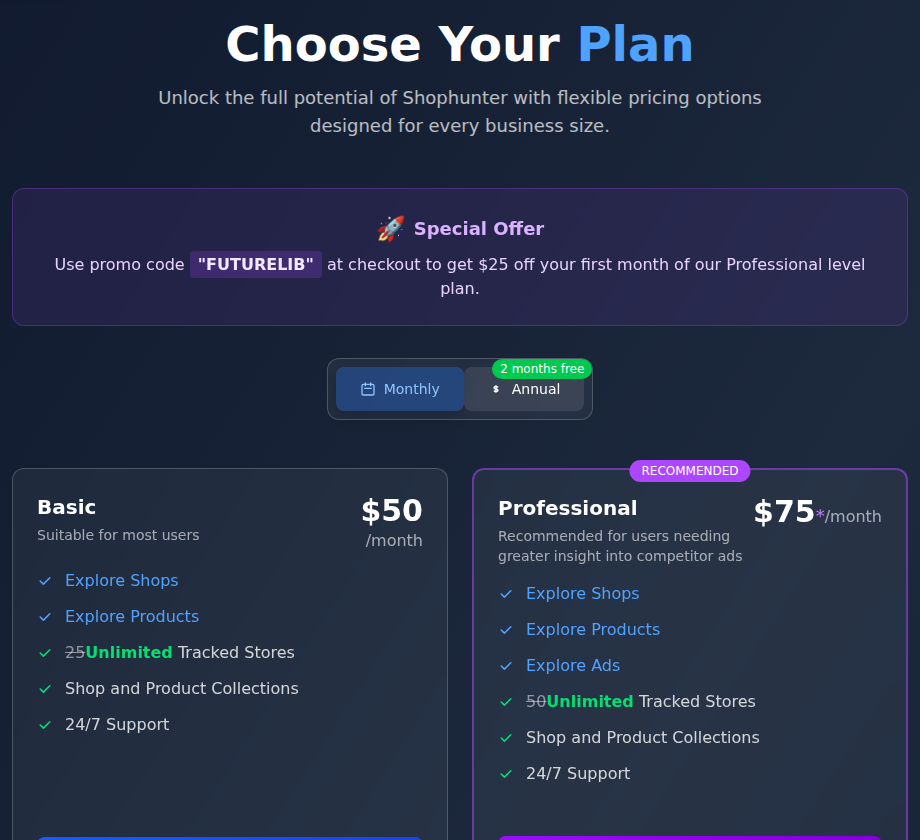
Annual billing is sold as “2 months free”, and the arithmetic holds. Basic is $500 a year instead of $600, Professional $750 instead of $900. That’s exactly ten monthly payments. With FUTURELIB, a first month of Professional costs $50, the same as Basic.
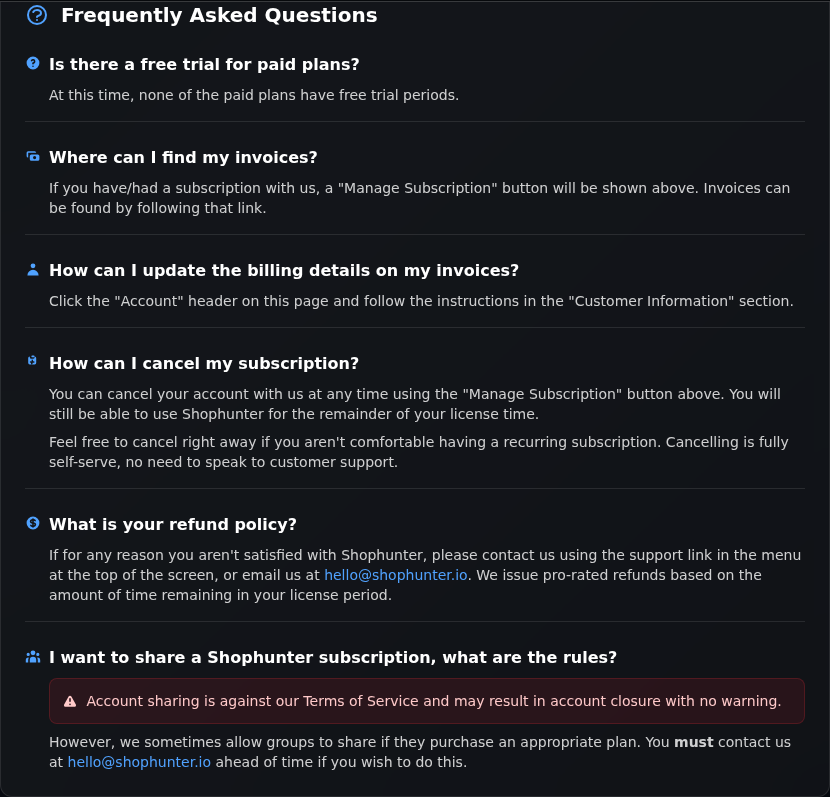
The billing rules are easy to live with. You can cancel any time and keep access until the paid period ends. Refunds are pro-rated: “We issue pro-rated refunds based on the amount of time remaining in your license period.” Account sharing is a different story. It’s against the terms and “may result in account closure with no warning”, unless a group contacts Shophunter first and buys an appropriate plan.
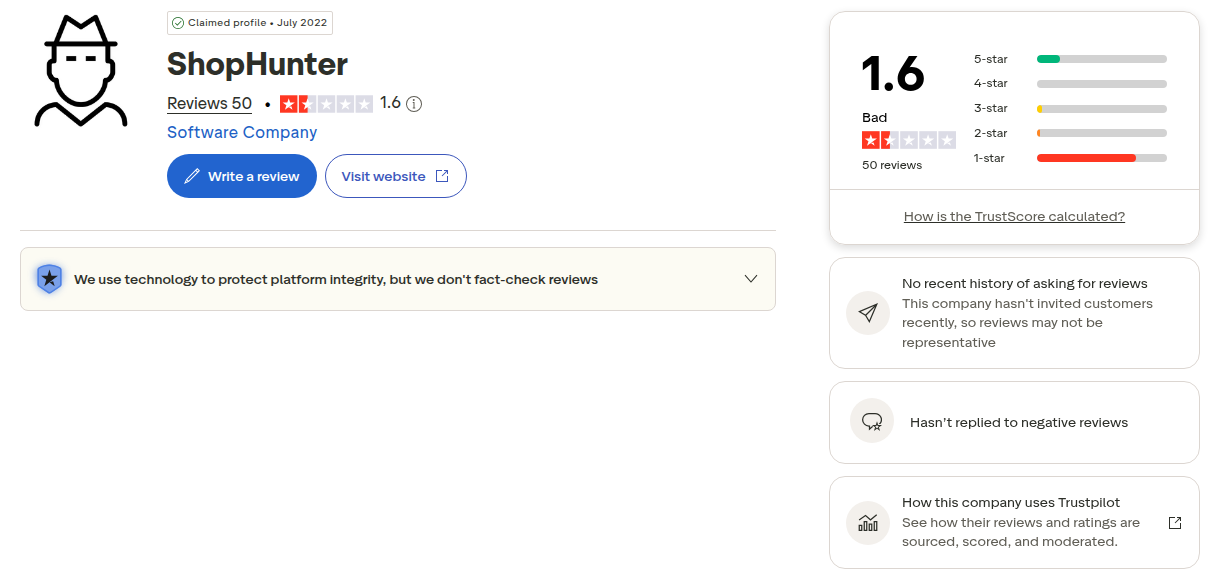
Reputation is the weak spot. On Trustpilot, shophunter.io has 1.6 out of 5 from 50 reviews. The company has claimed the profile, most ratings are one-star, and Trustpilot’s note beside the score reads “Hasn’t replied to negative reviews”. That sits awkwardly next to “Voted The Best Shopify Spy”. It’s also a good reason to treat the $1 trial as a real test and cancel inside the three days if the numbers don’t convince you.
What Shophunter leaves open, and what Spytrend covers
Shophunter starts from a Shopify store and works out its sales. For the other half of this comparison I used a tool that starts from the ads and the people paying for them. Its company line is fixed, so I’ll quote it rather than retell it: Spytrend is an ad intelligence platform for Facebook and TikTok advertising: an archive of ads going back to 2018, AI-classified into 33 business categories, with every advertiser assembled into a single card — all ads, pages, domains and countries in one place.
TikTok next to Facebook. Shophunter’s ad search is about Facebook ads, and it opens only on the $75 plan. Spytrend’s Ads section has a Meta tab and a TikTok tab side by side. On paid plans there’s no cap on searches inside the categories you pay for.
On the Meta tab I picked Automotive, narrowed it to the Aftermarket Parts subcategory, switched on Only Unique and chose the Most re-uploaded sort. That brought up 85,647 results, and I hadn’t typed a single store address to get there. The top row is four short videos shot on real cars: a pickup bed cover being fitted, something pushed into an exhaust pipe, a clip-on part fixed under a rear bumper, and a red door dragged along a stone bollard. Bulkfort-1, on bulkfort.com, reads 9,994 on its “overall” counter, and Forttender.FO01, on forttender.com, reads 8,499. Neither shop is a name I’d have thought to type into a store tracker.
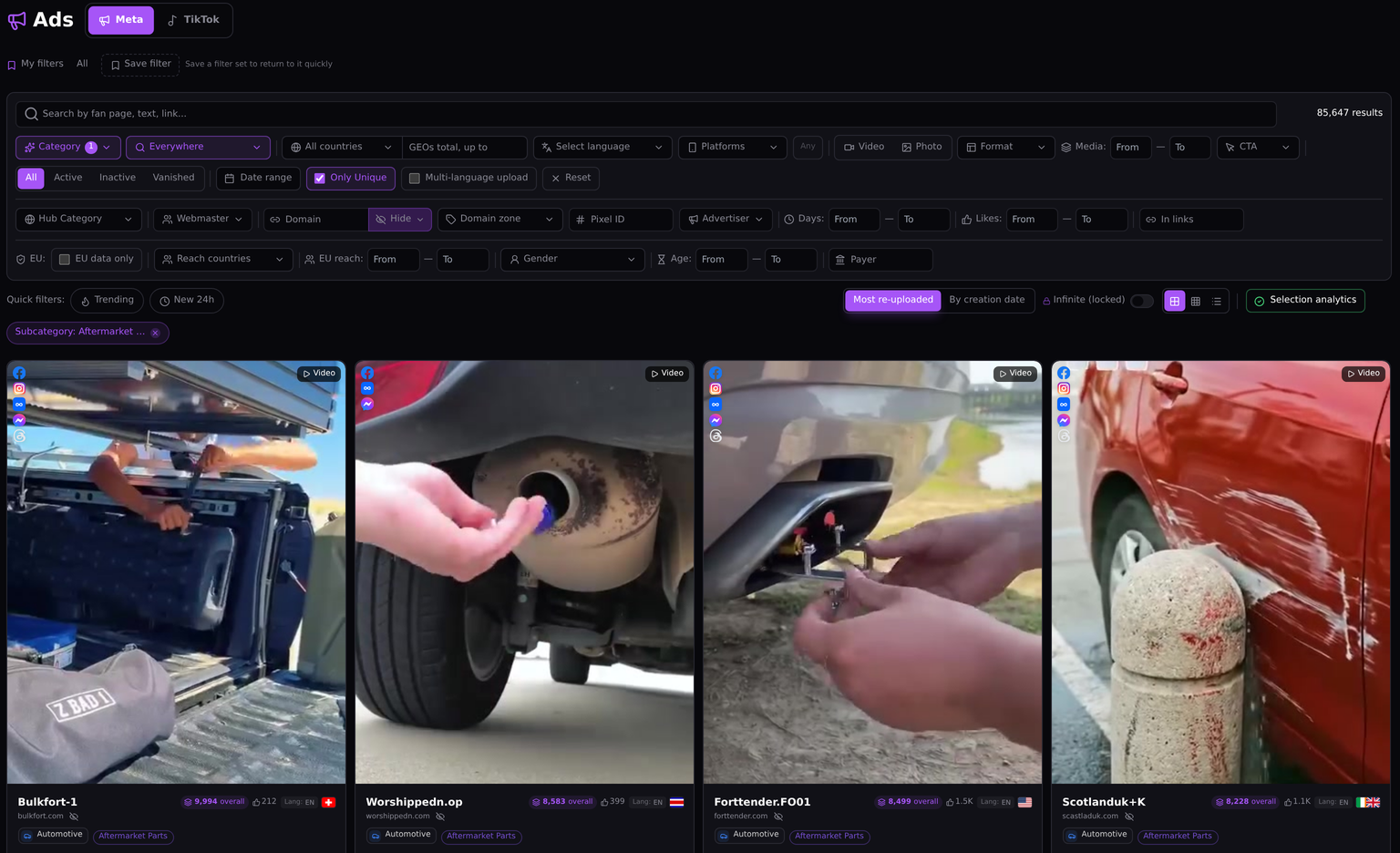
A niche without a store address. Shophunter needs a store or a product to look up, or you browse its own categories of Shopify products. Every ad in Spytrend carries a business category, 33 in all, with 342 subcategories under them. That opens a niche even when you don’t know a single shop in it.
The seller behind several shops. Shophunter tracks stores one at a time, now without a cap. Spytrend’s Webmasters section groups a seller’s shops, pixels and Page IDs on one owner card. The Webmasters guide explains how the matching works.
Warmthappy, which I picked from the store owners listed in Webmasters, shows the difference well. In a store tracker, warmthappy.com would be one shop. Its owner card shows 646,024 ads, 44,213 active and 601,811 stopped. They come from 67 Page IDs, 65 of them active, spread over 10 domains, only 1 of them active, and 3 pixels.
Most of the reach is in the United States, Canada and Australia. The shop in the card’s name isn’t even the biggest: glowthinkday.com carries 291,049 of the ads, warmthappy.com 102,056. After them come practicei.com, raisbewae.com, nowadaysi.com and preparationi.com.
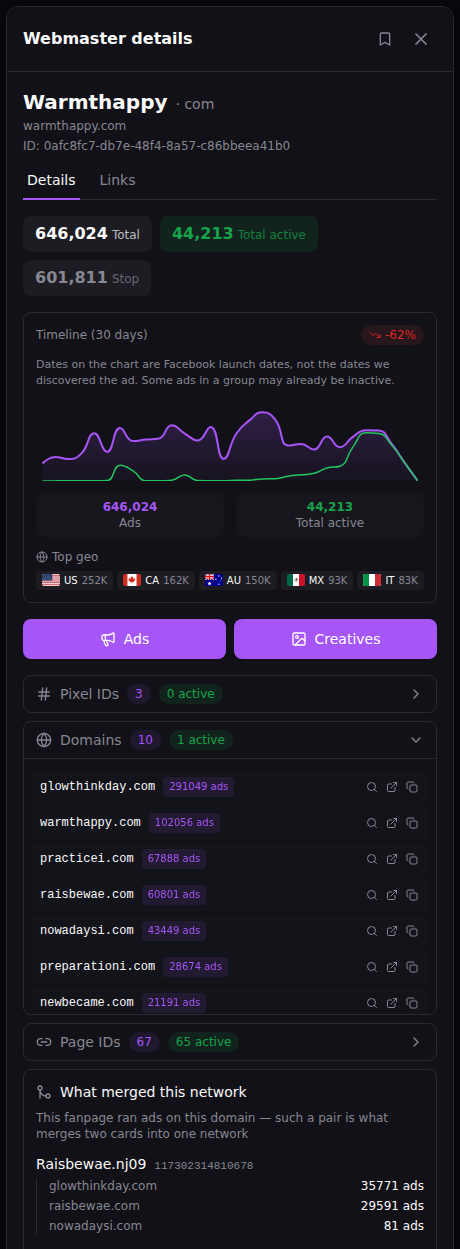
The link between the shops sits at the bottom of the panel. One page, Raisbewae.nj09, ran 35,771 ads on glowthinkday.com, 29,591 on raisbewae.com and 81 on nowadaysi.com. A page advertising several shops is what makes Spytrend merge them into one network. A revenue estimate tells you what one store sells. The owner card shows which other shops the same pages advertise.
Where Shophunter is ahead. Revenue estimates per store and per product, by day, week and month, are the reason Shophunter exists, and none of the Spytrend screens above shows sales. Its entry price is low, and the $1 trial is upfront about what it turns into. Pro-rated refunds are a fair policy too. On Spytrend’s side, paid plans come with a 14-day refund window, and the pricing page has the current plans.
Shophunter vs Spytrend at a glance
| Shophunter | Spytrend | |
|---|---|---|
| Starting point | A Shopify store or product | Ads, categories and advertisers |
| Ads | Facebook, on Professional ($75) only | Facebook and TikTok |
| Free entry | Public demo without search; $1 for a three-day trial (Sep 30, 2026) | Starter costs nothing and covers ads three months and older (Sep 30, 2026) |
| Paid plans | Basic $50, Professional $75 a month; $500 and $750 a year (Sep 30, 2026) | On the pricing page |
| Refunds | Pro-rated for the unused time | 14-day refund window |
| Grouping | Store by store, unlimited tracking | Owner card across domains, pixels and Page IDs |
Who Shophunter is built for, and where it runs out
Shophunter makes the most sense for a Shopify seller who already has a product or a rival store in mind. You get a quick read on whether it sells, as long as you treat the figures as estimates. Basic at $50 covers that job. The extra $25 for Professional buys Facebook ad search in the same place, and the plan cards list nothing else on top.
It runs out quickly in a few situations. Nothing in its pricing or FAQ screens mentions TikTok ads. Exploring a whole niche without a list of stores is hard, and nothing shows which shops belong to the same seller. Some people will also stop at the 1.6 rating on Trustpilot before they reach the trial.
If you do try it, set a reminder for the third day. The trial turns into a $50 monthly charge on its own, and the cancel button sits in the billing section. If you run a Shopify store yourself, look it up during those three days and compare the estimate with your real sales. That comparison shows how far the model drifts on a store you know.
Looking for a Shophunter alternative?
Winning Hunter puts store revenue next to ads from several networks, and our breakdown of it covers the plans and the free trial. For product research built around Facebook and TikTok ads, the Minea and Dropispy breakdowns cover two more options. A wider list sits in the ad spy tool roundup.
FAQ
Shophunter.io: can you search anything before paying $1?
Shophunter.io lets you browse the public demo, sample product revenue included, without paying. Searching is another matter. A search in the demo opens the $1 offer, and after signing in every Explore section redirects to the trial page. The three-day trial of Basic then renews at $50 a month unless you cancel.
Shophunter pricing: is the $75 plan worth the extra $25?
Shophunter pricing has two tiers: Basic at $50 a month and Professional at $75, or $500 and $750 billed yearly. The extra $25 adds Explore Ads, the Facebook ad search, and the plan cards show nothing else. FUTURELIB takes $25 off the first Professional month.
Shophunter data: how close are the revenue figures to real sales?
Shophunter data comes with no published accuracy figure. The FAQ says revenue is estimated from traffic patterns, ad counts and conversion behaviour. I’d use the day and week numbers to compare stores with each other and to spot direction. Taken as a store’s actual sales, they’re a guess.
Shophunter refunds: what comes back if you cancel mid-period?
Shophunter refunds are pro-rated. The billing FAQ asks unhappy customers to contact support and refunds the time left in the licence period. Cancelling is self-service at any time, and access stays until the paid period ends.
Shophunter for a team: can two people share one account?
Shophunter bans account sharing on its standard plans. The billing FAQ says sharing breaks the Terms of Service and may lead to closure without warning. Groups have to contact Shophunter in advance and buy a suitable plan, so a team should budget one $50 or $75 seat per person unless Shophunter agrees to something else.
Is Spytrend the same as Shophunter?
No. Shophunter estimates sales for Shopify stores and adds Facebook ads on its top plan. Spytrend works from Facebook and TikTok ads in 193 countries. It sorts them into 33 business categories and joins each seller’s domains, pixels and Page IDs in one card.