If you spend enough time in an ad intelligence tool, you notice a pattern. You find a creative that has been running for six weeks, relaunched four times, and spread across a dozen advertisers. You open the landing page link and see a harmless blog post about sleep hygiene. Nothing about it explains why the ad keeps getting budget.
The reason is simple: the page you opened was not meant for you. It was meant for exactly the kind of visitor you look like at that moment, a researcher on a datacenter IP with no purchase intent. Real buyers on real mobile connections see something else entirely. This guide explains how that split works, what you can learn from it during competitor research, and how to build the same protection around your own funnels.
What traffic filtering actually does
Every click on an ad carries a bundle of signals: the IP address and the network it belongs to, the device and operating system, the browser, the interface language, the time zone, the referrer, and often a URL parameter set by the ad platform. A traffic filter, often called cloaking, reads these signals on the server side before any page is rendered and decides which of two destinations the visitor gets.
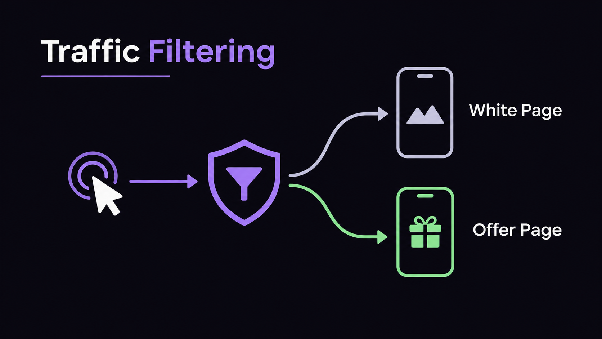
The first destination is the offer page, the real funnel: a quiz, a presell, a long-form sales page. The second is the white page, a neutral and compliant-looking site that matches the ad’s topic loosely and gives nobody anything to complain about. Visitors who match the target profile go to the first. Everyone else, including moderators and automated crawlers, goes to the second.
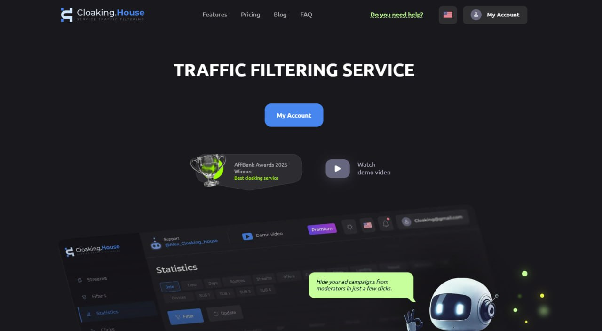
That decision has to be fast. If a filter adds a noticeable delay, real users bounce before the page loads, and mobile traffic is especially unforgiving. For reference, Cloaking.House states an average response time of around 120 ms on its official site, which is the kind of number you should expect from any serious filter.
The signals that matter most
Not all parameters are equally useful, and beginners often over-engineer rules while missing the basics. In practice, a handful of checks do most of the work.
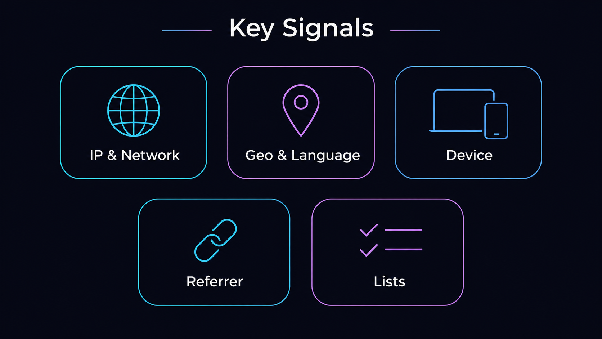
IP and network reputation. Datacenter ranges, known VPN and proxy exit nodes, and hosting providers are the clearest sign that a visitor is not a normal consumer. The service also lets you filter by ISP and block IPv6 transitions separately, which helps when a traffic source sends unusual network patterns. A real mobile user typically sits behind a carrier network, and that pattern is hard to fake consistently.
Geo and language. If your campaign targets Germany, a visitor from a German IP whose browser language is Vietnamese is suspicious. Mismatches between country, language and time zone are among the easiest signals to catch and the most commonly forgotten when rules are set up in a hurry.
Device, OS and browser. A mobile-only offer should not be served to a desktop Linux browser. Device filtering also removes plenty of automated visits that never pretend to be a phone.
Referrer and click limits. A missing or wrong referrer, or the same address clicking repeatedly, tells you a human isn’t behind the visit. Click limits per IP keep a single reviewer from reloading until something unusual appears.
Blacklists and whitelists. Over time you collect addresses and ranges you never want to see again, and addresses of your own team that must always see the real page. Custom lists make both cases a one-time setup.
What this means for competitor research
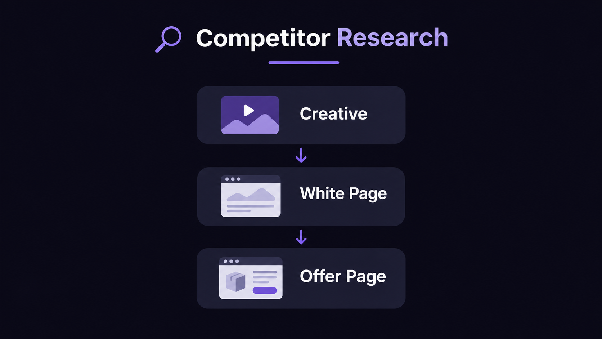
Understanding these mechanics changes how you read a spy tool. When a research platform shows you a cloaked landing page, there are really three layers worth analyzing, and each tells you something different.
The creative and ad copy are the visible layer. They show the angle, the hook and the audience the advertiser is going after. Longevity and relaunch count tell you whether the angle is working, because nobody keeps funding a losing ad.
The white page is the second layer, and it is more informative than it looks. Its topic, its language and how well it matches the ad tell you how careful the advertiser is. A sloppy white page often goes together with sloppy account hygiene, and a polished, niche-appropriate one suggests an operator with a real process.
The offer page is the third layer, the one that is hardest to see. Some research tools fetch landing pages through residential or mobile connections to get past this exact filtering, which is why a downloaded funnel is worth more than a screenshot of the white page. When you evaluate any ad intelligence product, check how it handles this: does it show the page real traffic sees, or the page a datacenter visitor sees? The difference decides whether your analysis is based on the actual funnel.
A simple workflow follows from this. Start with ads that have survived for a long time and relaunched several times. Check the countries they target, because the geo tells you which filter settings the advertiser probably uses. Then study the funnel structure: how many screens, where the price appears, what the paywall or checkout looks like. Finally, map the whole chain from creative to white page to offer so you can reproduce the logic in your own test rather than copying the surface.
Setting up your own flow
Once you move from research to launch, the same logic works in your favor. Here is how a clean setup usually goes, using Cloaking.House as the example since its flow is straightforward.
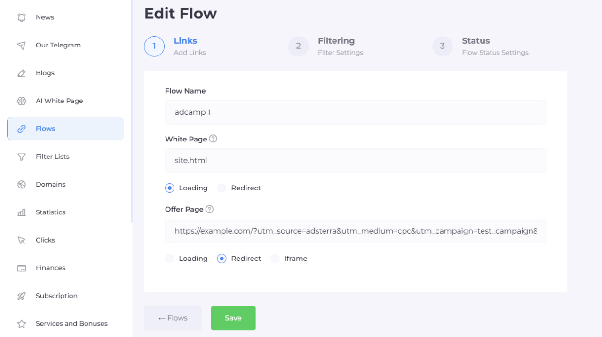
You begin by creating a flow. Each flow is one campaign’s routing rule: it holds the filtering conditions, the white page and the offer destination. The platform offers a ready cloaked link, so you can point traffic at it without hosting anything yourself. If you prefer your own branding, you can connect your domain or buy a ready-made one directly in the service.
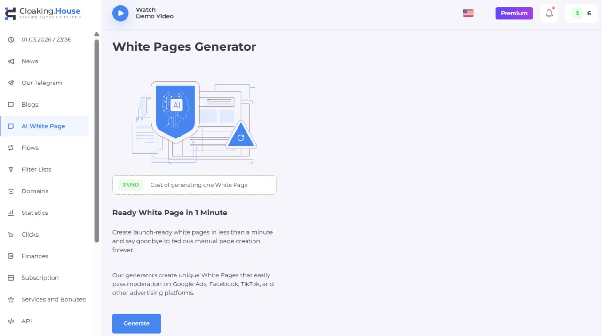
Next comes the white page. This is where many launches fail, because teams reuse a template that a dozen other advertisers already use. The service includes an AI generator that builds a unique white page for a given niche and language in under a minute, which removes the most tedious part of preparation. Whatever tool you use, check that the page loads quickly, works on mobile, has a believable structure with a few sections and a contact block, and relates to the ad’s topic.
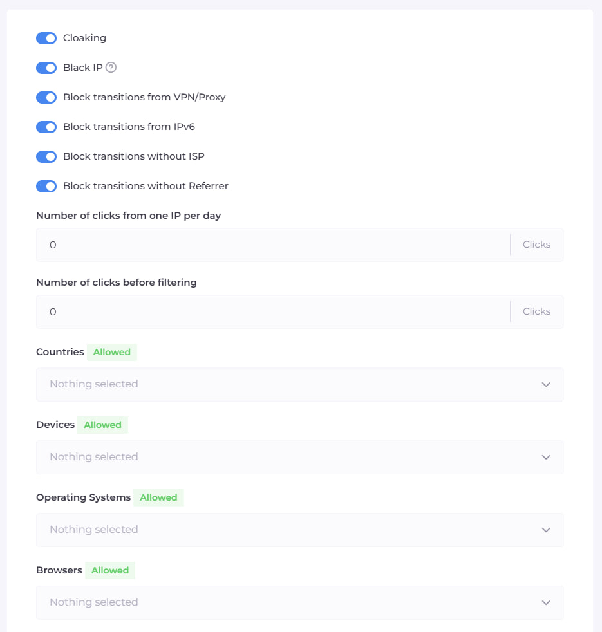
Then you set the filters. Start narrow and sensible: target country, target device types, language, and a block on VPN and proxy traffic. Add ISP rules for mobile campaigns. Resist the urge to stack twenty conditions on day one, because every extra rule is another way to accidentally cut off real buyers.
Finally, you test before spending a cent. Open the link from the target geo on a real phone over mobile data, then from a desktop on a datacenter connection, and confirm each lands where it should. If the target visit shows the white page, your rules are too strict. If the datacenter visit shows the offer, they are too loose. Both mistakes are cheap to fix before launch and expensive afterwards.
Common mistakes that waste budget
The most expensive error is over-filtering. A buyer who is traveling, uses a corporate VPN or has an unusual browser language gets sent to the white page and never sees the offer. The cost shows up as a mysteriously low conversion rate that looks like a bad creative. When a campaign underperforms, check the filter logs before you rewrite the ad.
The second mistake is a white page that does not fit the ad. Reviewers and automated checks compare the promise in the ad with what loads. A page about an unrelated subject draws attention instead of avoiding it.
The third is ignoring the rest of the chain. A perfect filter does not help if the account, payment method or domain history is weak. Filtering is one layer of protection, not a replacement for clean setups elsewhere.
The fourth is neglecting statistics. Real-time stats show how many clicks were filtered, why, and from which networks. Reviewing them weekly tells you whether the rules still fit the traffic or whether a new source started sending patterns you did not expect.
A word on risk
Traffic filtering sits in a grey area, and it is worth saying so plainly. Advertising platforms prohibit showing reviewers something different from what users get, and accounts that violate the rules can be restricted regardless of which tool is used. A filter reduces exposure to automated checks, but it does not change the platform’s policies or remove the consequences of breaking them. Treat it as a way to protect your work, keep offers within the law of the countries you target, and budget for the possibility that an account will not survive.
Which tool fits where
A useful way to split the work is by stage. Ad intelligence belongs at the front: you use it to decide what to test, which angle, which geo, which funnel structure. Filtering belongs at the launch stage: it decides who sees what once real money is flowing. The two meet in the middle, because the quality of your research determines how well you can design the white page and the filter rules.
If you want to try the filtering side, Cloaking.House gives new users seven days of full access without limits after registration, which is enough to build a flow, test it from several geos and see the stats before committing. Paid plans start at $49 per month for three active flows, or $300 per year on the annual Starter plan. Larger tiers are available for teams running many campaigns. The service also provides an API for managing flows and domains from your own tooling, plus a built-in marketplace of related services if you need anti-detect browsers or other tools around the setup.
Quick pre-launch checklist
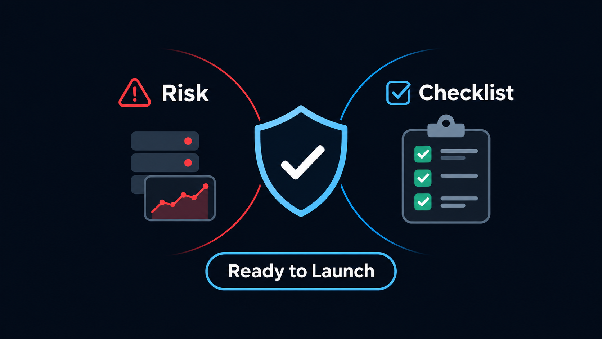
Before you send the first paid click, run through this short sequence: confirm the white page loads fast on mobile and matches the ad topic, confirm the offer page opens only for the target geo and device, test from a datacenter IP and a real mobile connection, make sure your own team’s addresses are whitelisted, and check that statistics are recording both filtered and passed clicks. If all five pass, you are ready to scale slowly and watch the logs.
Read the whole chain
The page behind an ad is rarely a single page. It is a decision made in milliseconds about who is looking. Once you see that, competitor research gets sharper: you stop trusting the first thing a link shows you and start reading the whole chain. And when you launch your own campaigns, you can apply the same discipline, with clear rules, a believable white page, careful testing and regular review of the numbers.