Short answer: Spytrend AI is a Facebook and TikTok ad spy right in Telegram, the @spytrends_bot bot. Your first niche report is free, then you can ask in plain words, like in any AI chat, and put competitors on watch: the bot sends new creatives on its own.
Ad spy is now in Telegram. Below: how to get your first report, how to ask in plain words and how to make the bot watch competitors for you.
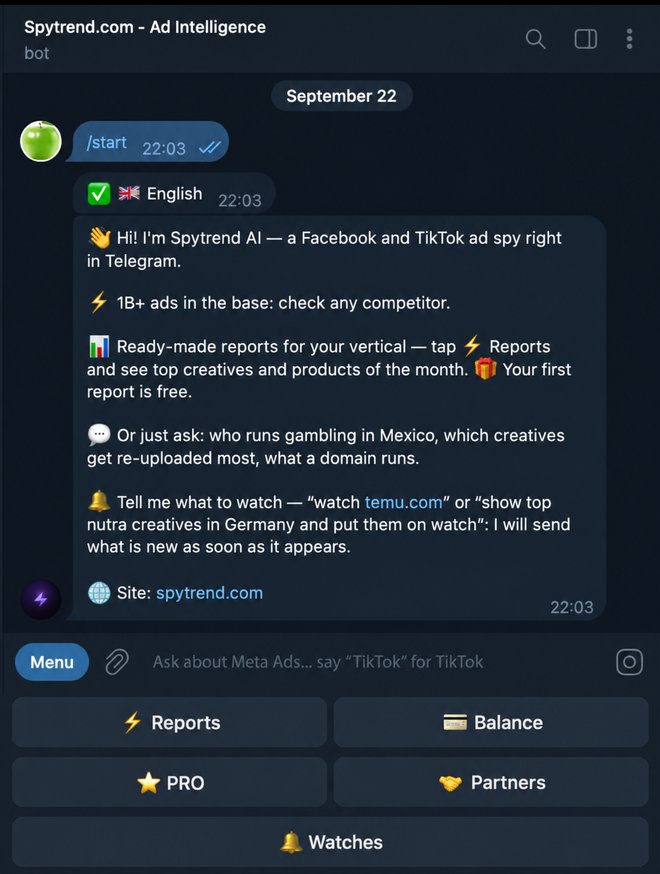
Start
Open @spytrends_bot, tap "Start" and pick a language. Your first report is free. Subscribe to the @spytrendcom channel and get 500 tokens, that is 5 more reports. The bot runs on tokens: your balance is always under the "💳 Balance" button.
Scenario 1. A ready-made niche report
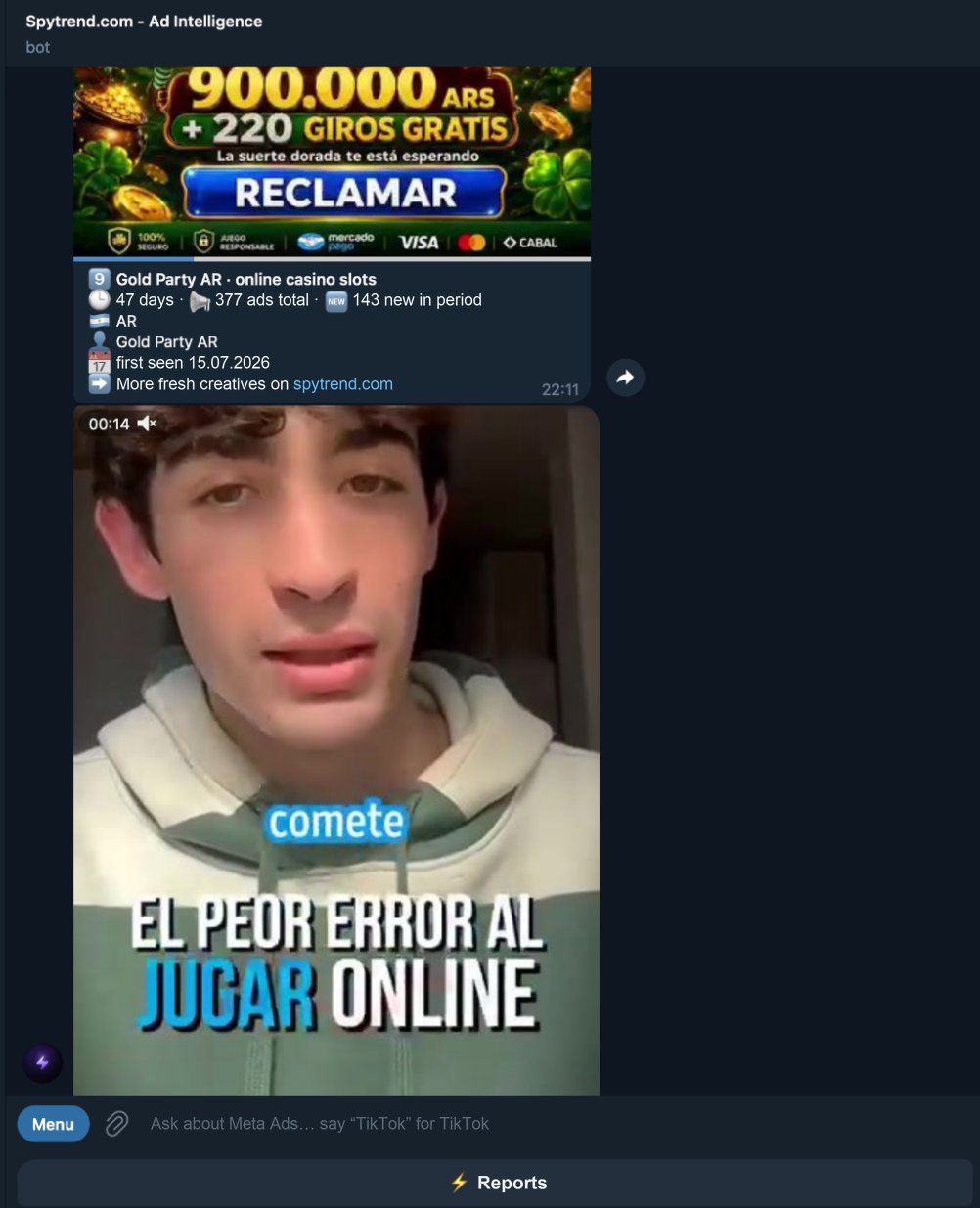
Tap "⚡️ Reports" and pick "Top creatives of the month" (for Facebook there is also "Top products of the month"). The bot then asks for:
- Vertical — Gambling, Nutra, Dating, Finance, Ecommerce and others. Only verticals with a built report are listed.
- Platform — Facebook Ads or TikTok Ads. Asked only the first time, later you change it with the "Platform — switch" button.
- Geo — tap a country (sorted by popularity in the vertical) or type a country code (US, DE) or name. "All geos" works too.
- "Show" — the first report is free, after that it is 100 tokens.
You get 10 creatives from the first page of the Creatives section of the site, with the same filters and a one-month window, in the same order. Reports are built in advance and refreshed daily, so they open instantly, and the bot tells you when the report was last updated.
Each creative card shows:
- Days running — how many days the ad has been live
- Total ads / new in period — the total count and how many were added in the selected window
- Running now — yes or no
- Geo — the country it is shown in
- Niche — the ad's vertical
- Fan page — the advertiser page
- Domain — the landing page domain
- First seen — when the ad first appeared
Scenario 2. Ask in plain words
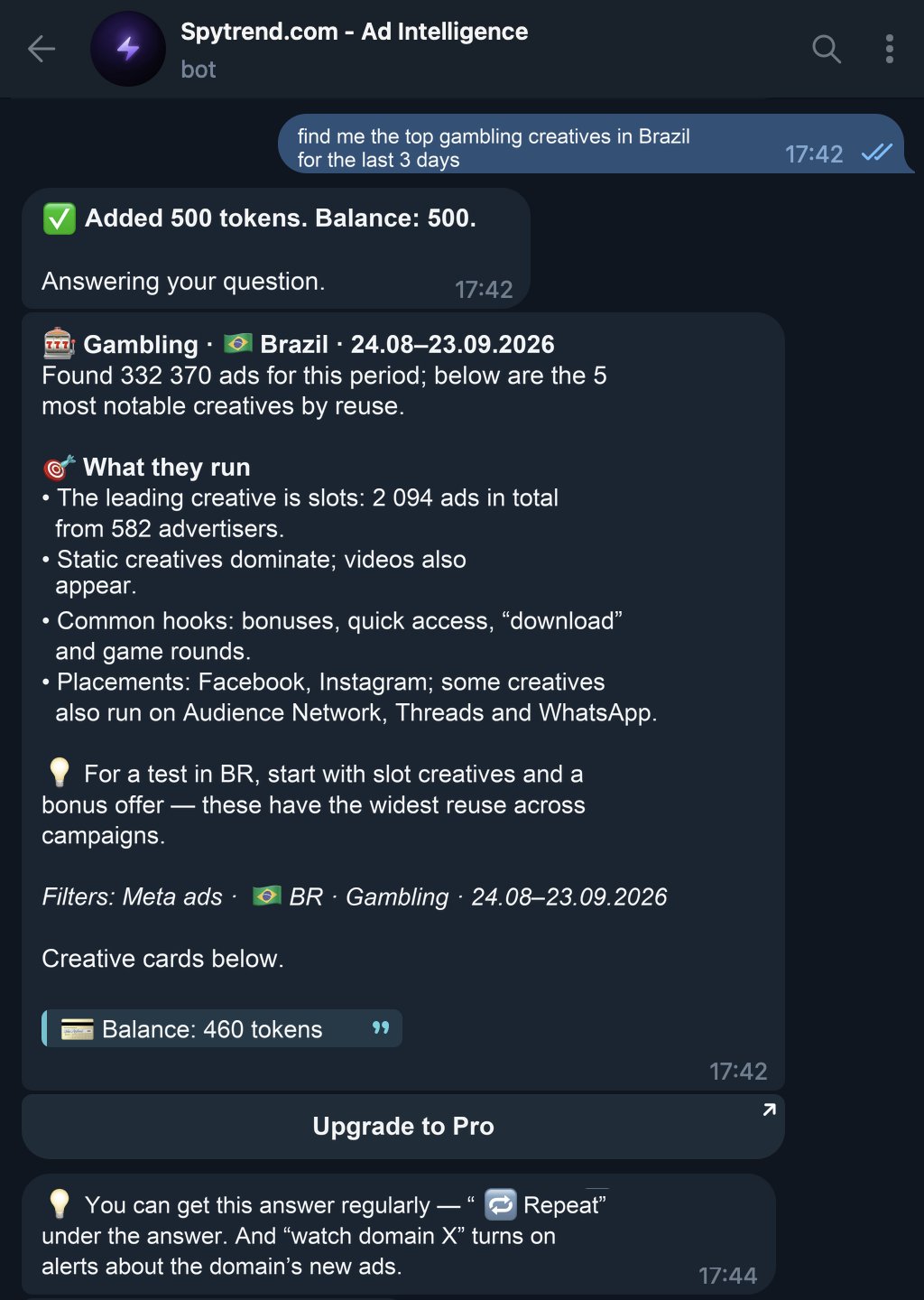
Buttons are optional. There is an AI agent inside the bot, and you give it a task in plain text, like in any AI chat:
- "find me the top gambling creatives in Brazil for the last 3 days"
- "what are people running in nutra in the US this week"
- "show fresh dating creatives in Poland"
You get an analysis, not a bare list: what is being run, which formats and CTAs, how domains are cloaked, which placements the ads go to and which pattern is strongest for media buying right now. Creative cards with videos and images follow. At the end of the answer the bot shows your remaining tokens.
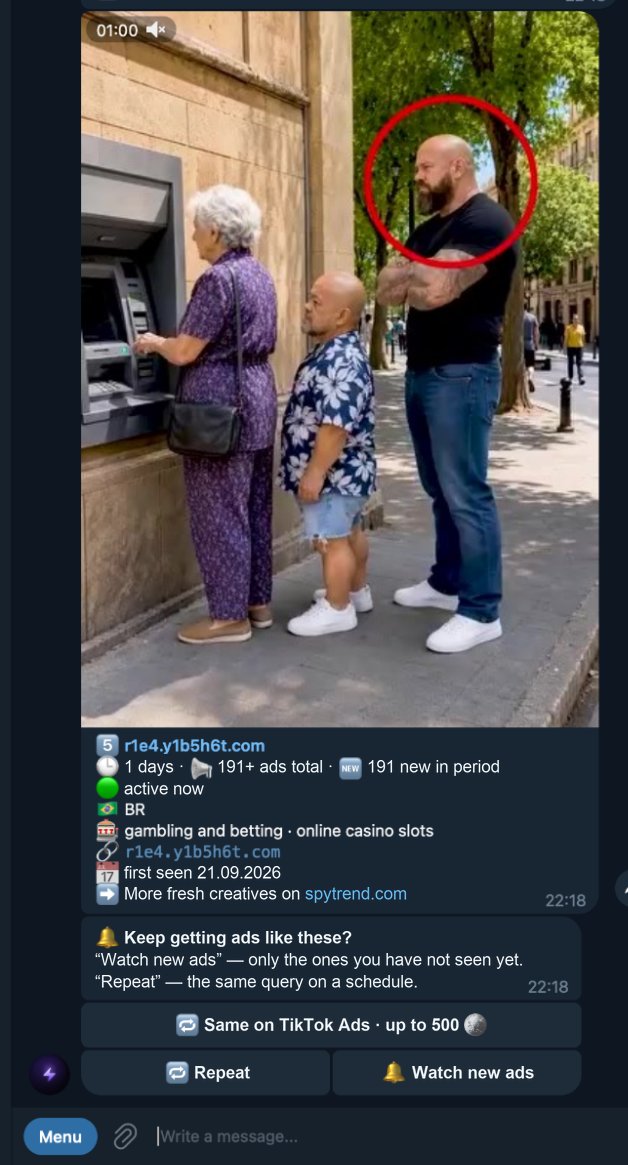
Three buttons come after the cards:
- 🔁 Same on TikTok Ads — the same request, but for TikTok.
- 🔁 Repeat — the bot reruns the same request every hour, 6 hours or day. With PRO a 15-minute interval is available.
- 🔔 Watch new ads — the bot remembers the filters and sends only new ads that match them: right away or in batches of 5, 10 or 20 creatives.
The difference between the last two: "Repeat" sends a fresh full answer every time, "Watch new ads" sends only what you have not seen yet. If you monitor a niche constantly, take "Watch new ads". If you need a regular snapshot, say every morning, take "Repeat" with a daily interval.
Or do it all in one message: "show the top 10 gambling creatives in Brazil and put them on watch". The bot shows the top and then keeps sending new creatives for this request.
Scenario 3. Watch a competitor
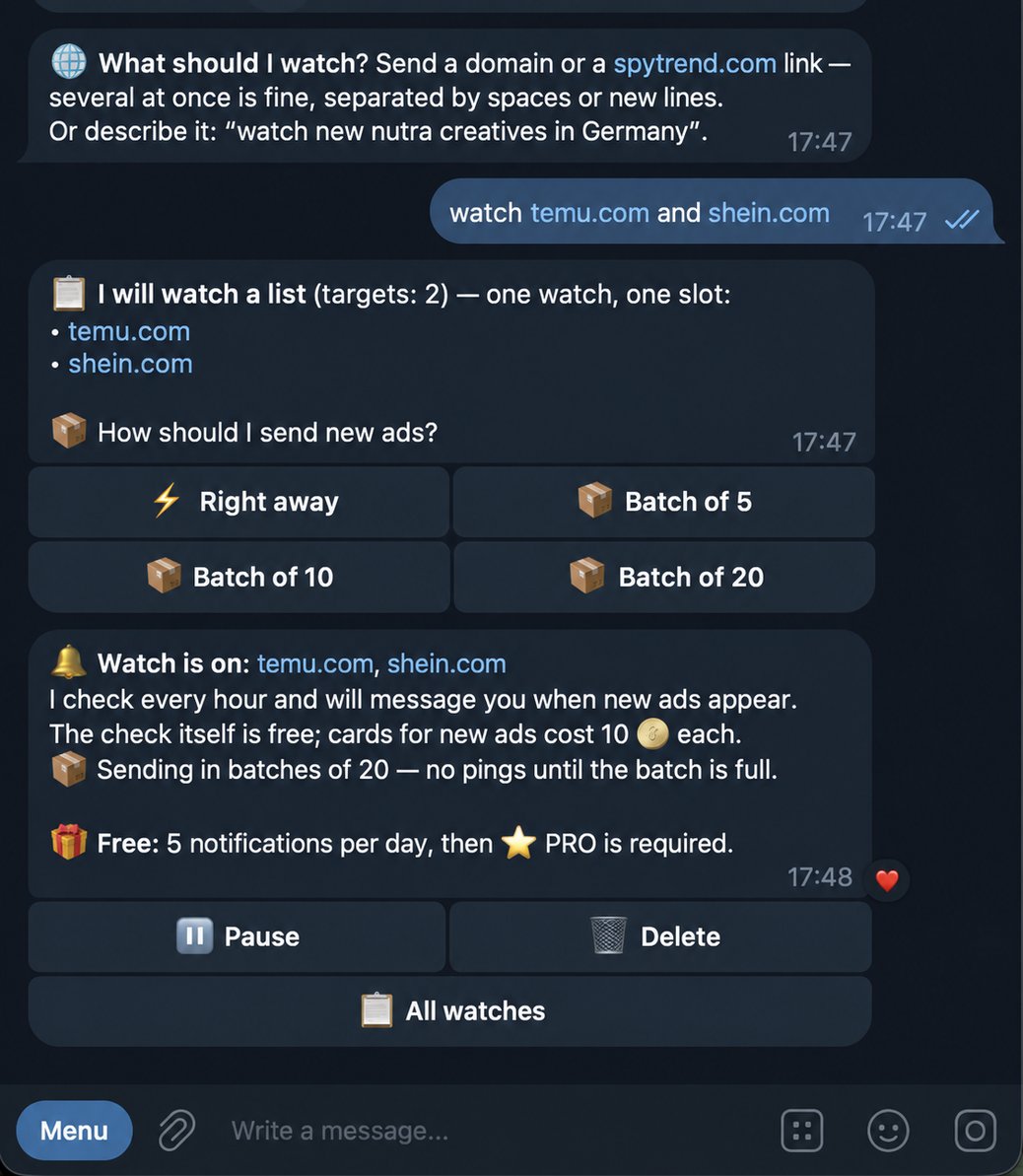
You can put any request on watch, not just a domain. Just tell the bot in plain text what to watch, the way you would tell a colleague: "watch temu.com and shein.com" or "show the top nutra stores in the US and put them on watch". The bot figures out what to track and turns the watch on.
Buttons work too: "🔔 Watches" → "➕ New watch", then send one domain, a spytrend.com link or several at once. A list of domains in one message counts as one watch.
Then the bot asks how to deliver new ads:
- ⚡️ Right away — after every check that finds new creatives.
- 📦 Batch of 5 / 10 / 20 — collects them and sends one message once that many have piled up.
The bot checks once an hour. When a competitor launches a new ad, you get a notification with cards of the new creatives. No more checking by hand what they re-uploaded overnight.
Manage everything in "🔔 Watches" or with the /watches command: "⏸ Pause", "▶️ Resume", "🗑 Delete". There you also see how often the bot checks and how many notifications it has delivered. You can pause or delete a watch right under a new-creatives notification as well.
How much it costs
| Action | Price |
|---|---|
| Report: 10 creatives, the first one is free | 100 tokens |
| Question to the agent: only the data it pulls is charged | about 20 tokens |
| Creative card | 10 tokens |
| "Same on TikTok Ads" | up to 500 tokens |
| Watch check | free |
| Card of a new creative from a watch | 10 tokens |
| "Repeat" | as a regular question |
| Limit | Without PRO | With PRO |
|---|---|---|
| Watch notifications per day | 5 | unlimited |
| Watches at once | up to 3 | up to 20 |
| Targets in one watch | up to 5 | up to 20 |
| "Repeat" interval | from 1 hour | from 15 minutes |
Your balance is always at hand under the "💳 Balance" button. The first report is free, plus 500 tokens for subscribing to @spytrendcom.
With a Pro subscription on spytrend.com, 40,000 tokens land on your bot balance every month. They are spent first, unused tokens expire at the end of the month, and each new month starts again with 40,000 while the subscription is paid. Your site account must be linked to the bot. Full platform plans are on the pricing page.
Partners
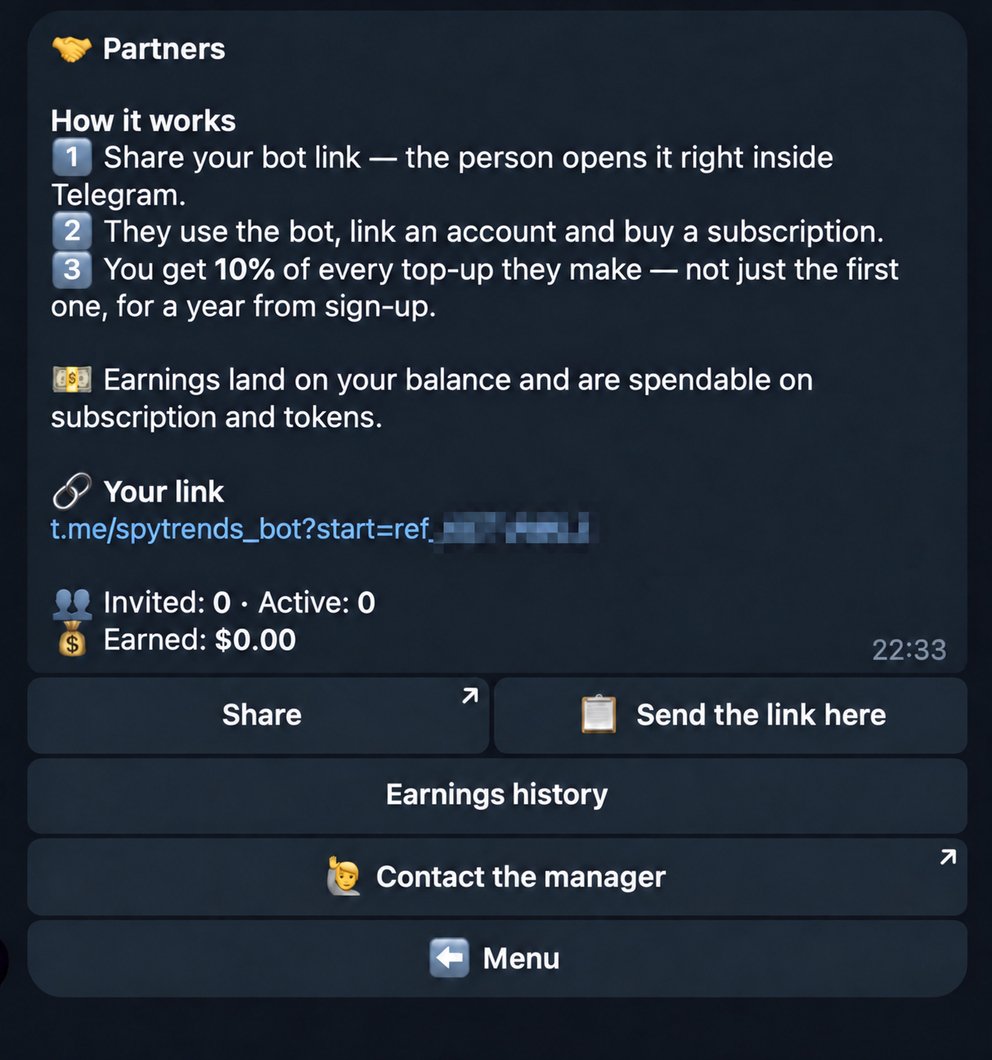
The "🤝 Partners" button gives you your link. A person opens the bot through it, signs up and is tied to you for good. You get 10% of every payment they make: not only the first one, but all of them for a year from sign-up. They test now and buy two months later, the commission is still yours. Earnings land on your referral balance after 30 days, once the refund window has passed, and can be spent on the subscription and tokens. The bot works without a subscription.
Who it is for
The bot works with Facebook and TikTok ads, Spytrend has no other sources. It fits those who buy or analyse traffic on these two platforms.
FAQ
Is this the same as connecting Spytrend to ChatGPT or Claude via MCP?
No, these are two entry points to the same data. The MCP connection works inside your AI assistant: Claude, ChatGPT, Cursor and others. The Spytrend AI agent works right in your chat with the bot, with nothing to install or configure. The account and balance are shared: a Pro subscription on the site adds 40,000 tokens a month, and the bot spends the same tokens if your site account is linked to the bot.
What is the difference between "Repeat" and "Watch new ads"?
"Repeat" sends a fresh full answer to the same request at the set interval: every hour, 6 hours or day, and with PRO every 15 minutes. "Watch new ads" sends only what has not appeared before, that is, new ads matching the saved filters, right away or in batches of 5, 10 or 20 creatives. For constant niche monitoring the second one fits, for a regular snapshot the first.
How much is the first report?
The bot gives you the first report for free. After that each report costs 100 tokens, that is 10 creatives at 10 each. Subscribing to the @spytrendcom channel adds 500 tokens, 5 more reports. Your balance is under the "💳 Balance" button.
What does PRO give?
Without PRO you get up to 5 watch notifications a day, no more than 3 watches at once, up to 5 targets in each and a "Repeat" interval of at least an hour. PRO removes the notification limit, raises the number of watches to 20, targets in each to 20 as well, and unlocks the 15-minute interval. On top of that, a Pro subscription on spytrend.com adds 40,000 tokens a month to the bot balance when your account is linked. The bot itself works without a subscription, the limits only apply to watches and intervals.
Where to start right now
Grab a free report for your vertical, put a competitor's domain on watch and set "Watch new ads" on your own campaign setup. From there the bot does the work.