Short answer: every Facebook ad creative in Spytrend has a Share button, and its link lets the recipient watch the ad, see how many days it has been active and download the ad video without signing up. Collections from Favorites share the same way. One click and the link is already on your clipboard. Anyone who then creates an account becomes your referral, and you earn 20% of every payment they make — for life, with payouts to a USDT wallet. You keep sharing what you find, as you already do, and Spytrend handles the rest.
- One creative. A button in the corner of the card or in the ad panel. The recipient sees the creative, how many days it has been active, countries, launch date and a Download button. → details
- Collection. A Favorites folder goes out as one link, up to 500 creatives. The first 20 are open to everyone, the rest open in an account with a plan. → details
- Referral. Your code is already in the link. The person is attributed to you for 90 days — even if they sign up later and from another page. → details
- Earnings. 20% of every referral payment, with no time limit. The balance pays for your plan or goes out to a USDT wallet. → details
Why share
Media buyers forward creatives every day — now you earn 20% of what the people who join through your link pay
In affiliate marketing and media buying, creatives get discussed all the time: a team lead sends a media buyer an ad to break down, a channel author posts a "creative of the day", a mentor shows a student what a winning angle looks like in a new GEO. Usually that is a screenshot or a screen recording: no numbers, no source file and no idea how long the creative has been live or how many times it has been re-uploaded.
A Spytrend link shows the creative itself and what matters about it: how many days it has been active, in how many countries and when it launched. For a media buyer that is the signal: a creative that stays active for months and keeps getting re-uploaded is a proven angle. The file downloads with one button. The recipient installs nothing and does not sign up — they open the link and see what you saw.
Every such link is an invitation to Spytrend with your referral code. Spytrend shows the person the creative and its numbers, offers a free account and from then on works with them as a user. All that is left for you is 20% of their payments.
1. One creative
How to share a creative: one button, the link is on your clipboard
The Share button is in these sections:
- Ads (Facebook and Instagram) — a round button in the top right corner of an ad card; in list view, an icon in the action row;
- the ad panel — a Share button under the advertiser name when the card is open in full;
- Creatives — an icon in the card's action row;
- Content AI — a button on a video card and in its panel.
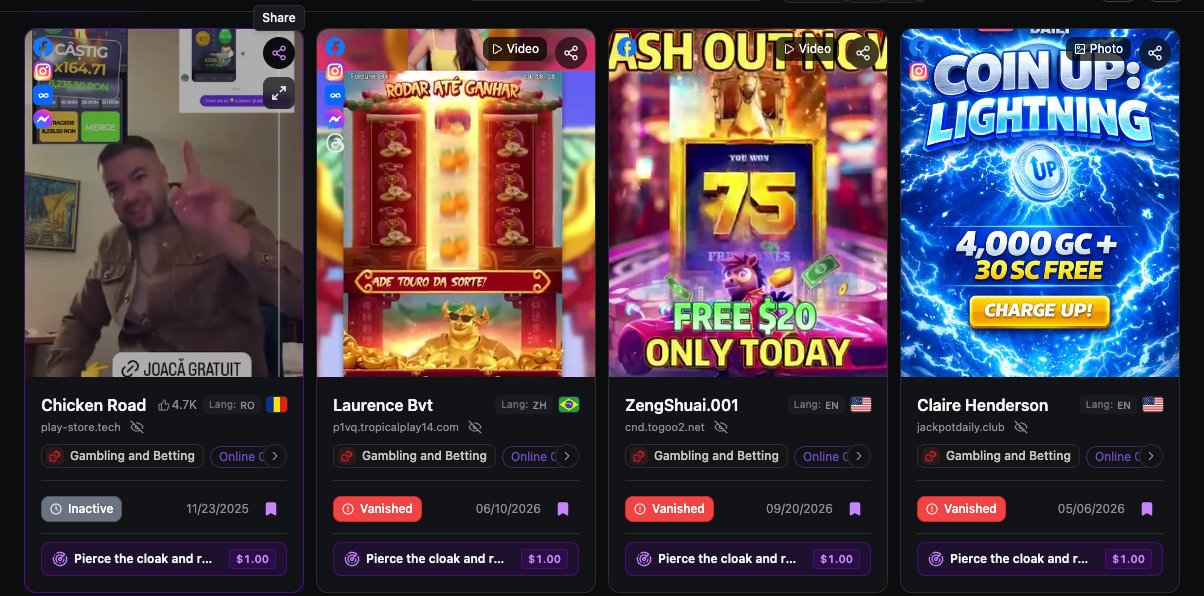
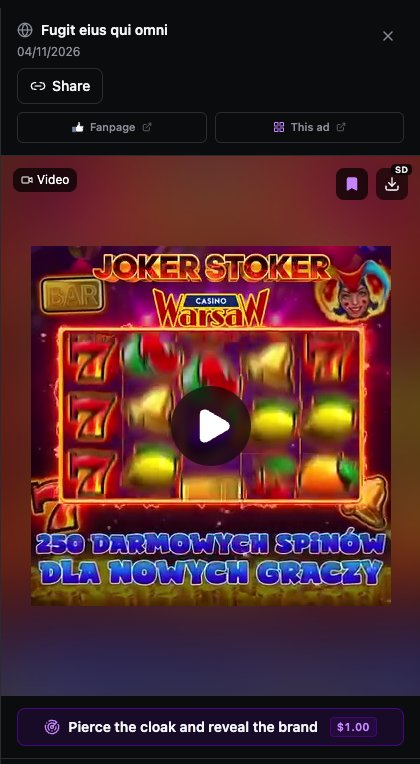
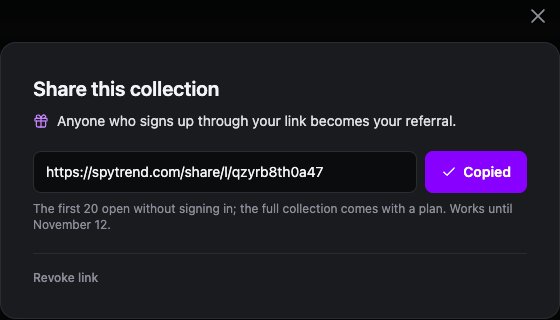
One click and the link is copied: a "Link copied" notice appears along with the "Share this creative" window. The window shows the link, the reminder "Anyone who signs up through your link becomes your referral" and the date the link is valid until. All that is left is to paste it into a chat.
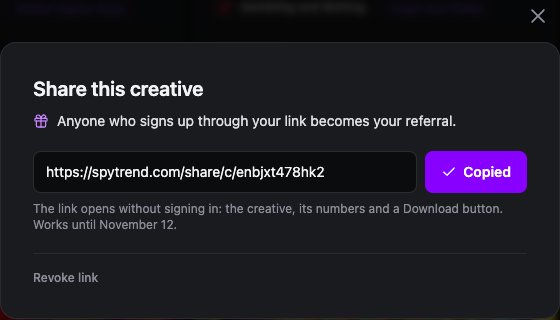
Share the same creative again and Spytrend returns the same link instead of creating a new one. You can revoke the link at any time with "Revoke link" in the same window — after that it stops opening.
2. What the recipient sees
The recipient sees the creative and its numbers without signing up
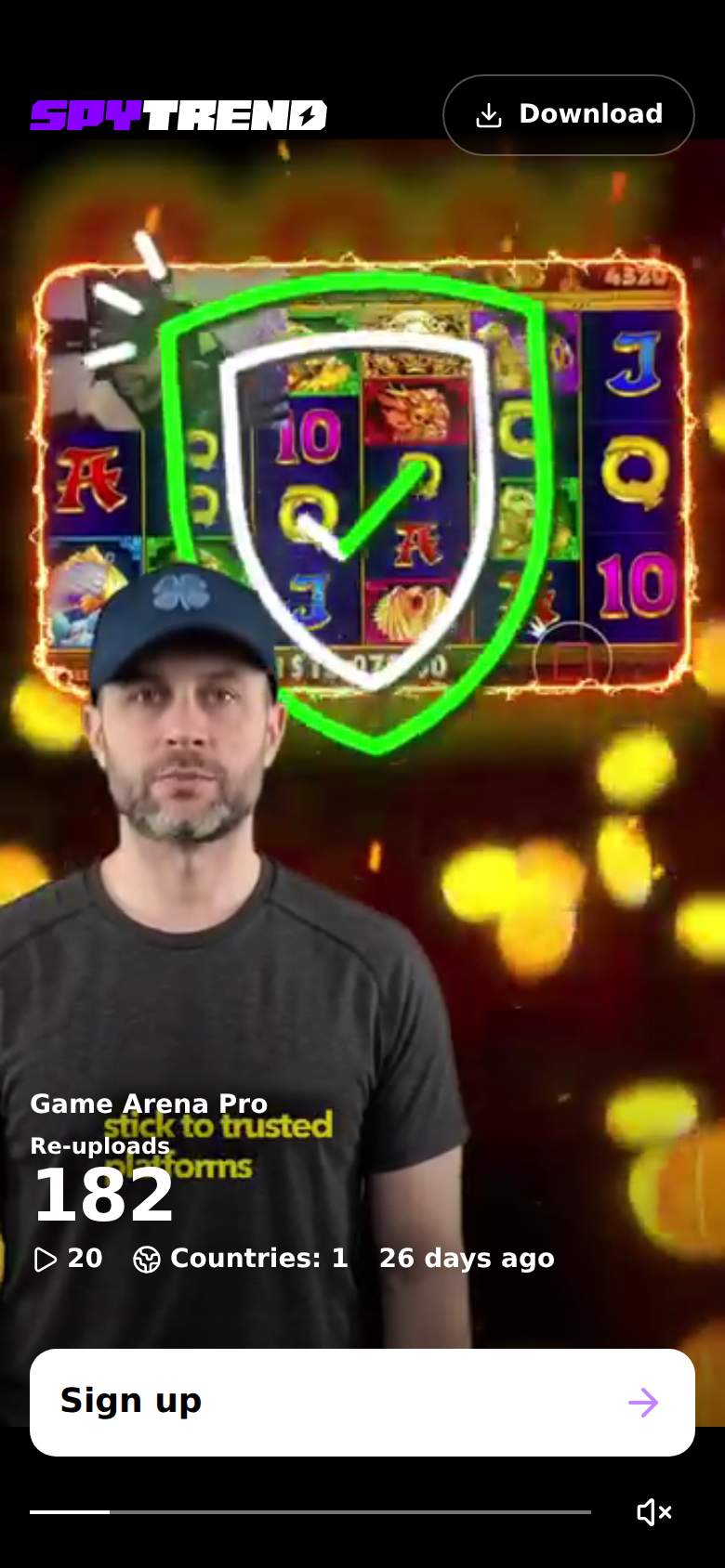
The link opens a dedicated creative page. On a computer the video or image plays on the left; on the right is the main number: how many times the creative has been re-uploaded (182 in the example), with a "Re-uploads by day" chart under it, so you can see when the creative was pushed in waves and whether it has faded. Below are the ad text, the "Active days", "Active ads" and "Countries" figures and the launch date. A Download button sits in the corner of the video.
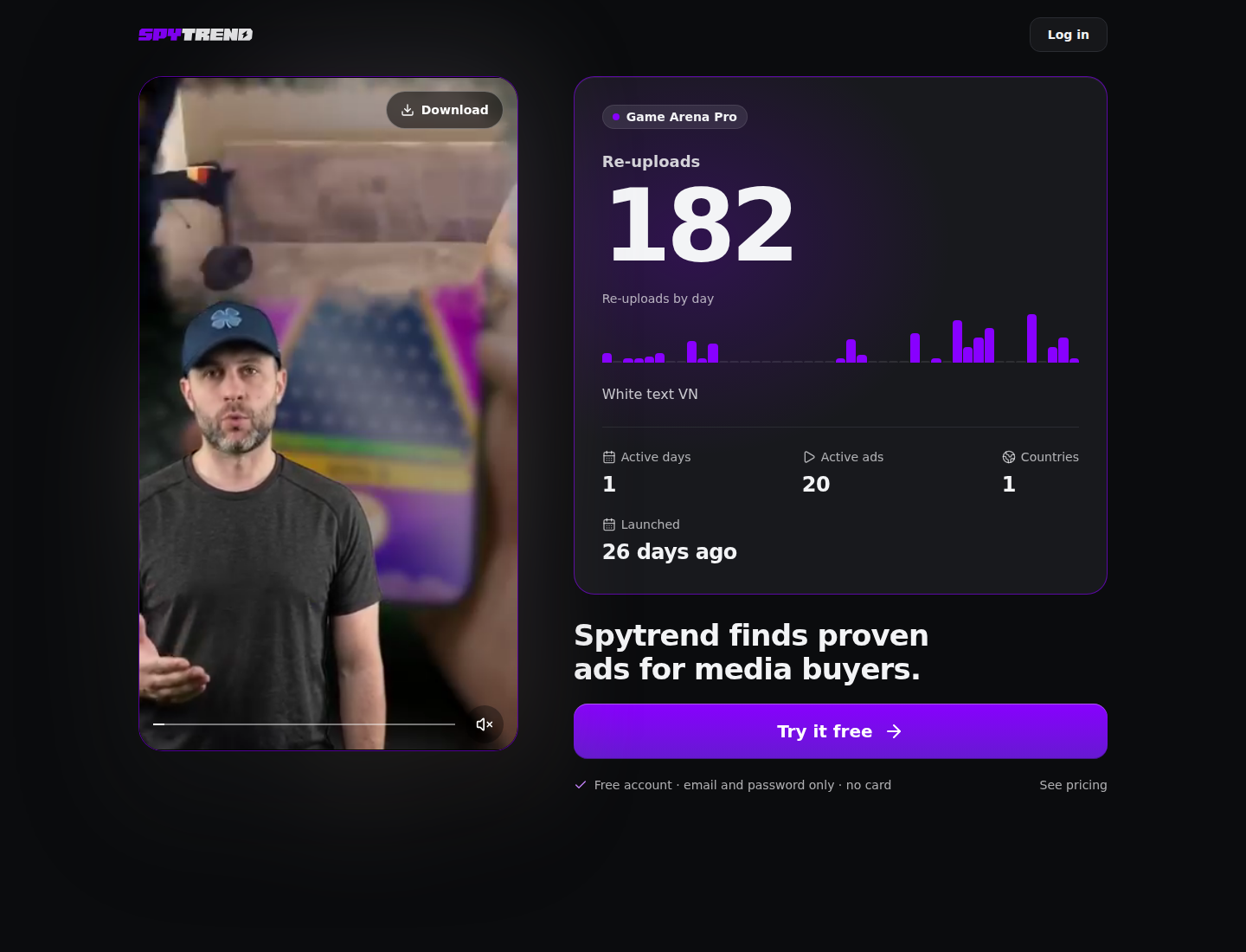
Below the card is the Spytrend offer and a "Try it free" button with the line "Free account · email and password only · no card". Signup opens in a window over the page.
On a phone the page works like a short-video feed: the creative fills the screen, and after about 10 seconds of watching the re-upload count, active ads, countries, launch date and a "Sign up" button appear on top of it. The person watches the video first and only then sees the numbers and the offer.
3. Collections
A collection of up to 500 creatives in one link: 20 open right away
One creative starts a conversation; a collection is ready material for work: "the most reused iGaming creatives", "what is running in Brazil right now", "prelander examples for nutra". A collection in Spytrend is a folder in Favorites.
- Save Facebook and Instagram ads to a folder: the bookmark icon on the card, section Favorites → Ads.
- Open the folder — a bar with its name, the number of creatives and a Share button appears above the results.
- Click Share — the link to the whole collection is on your clipboard.
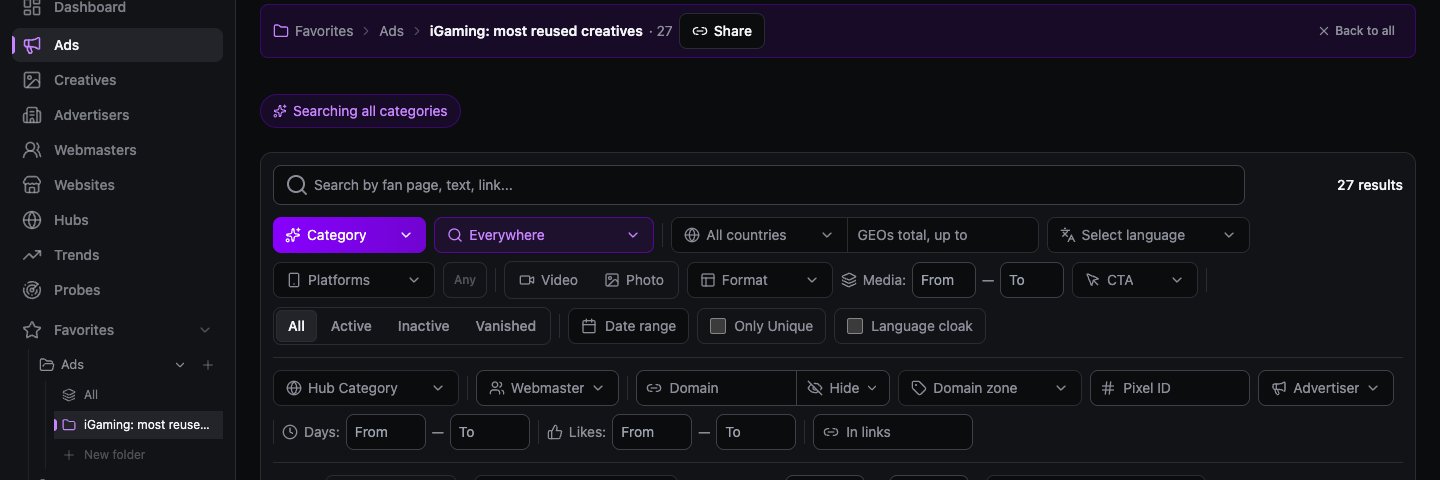
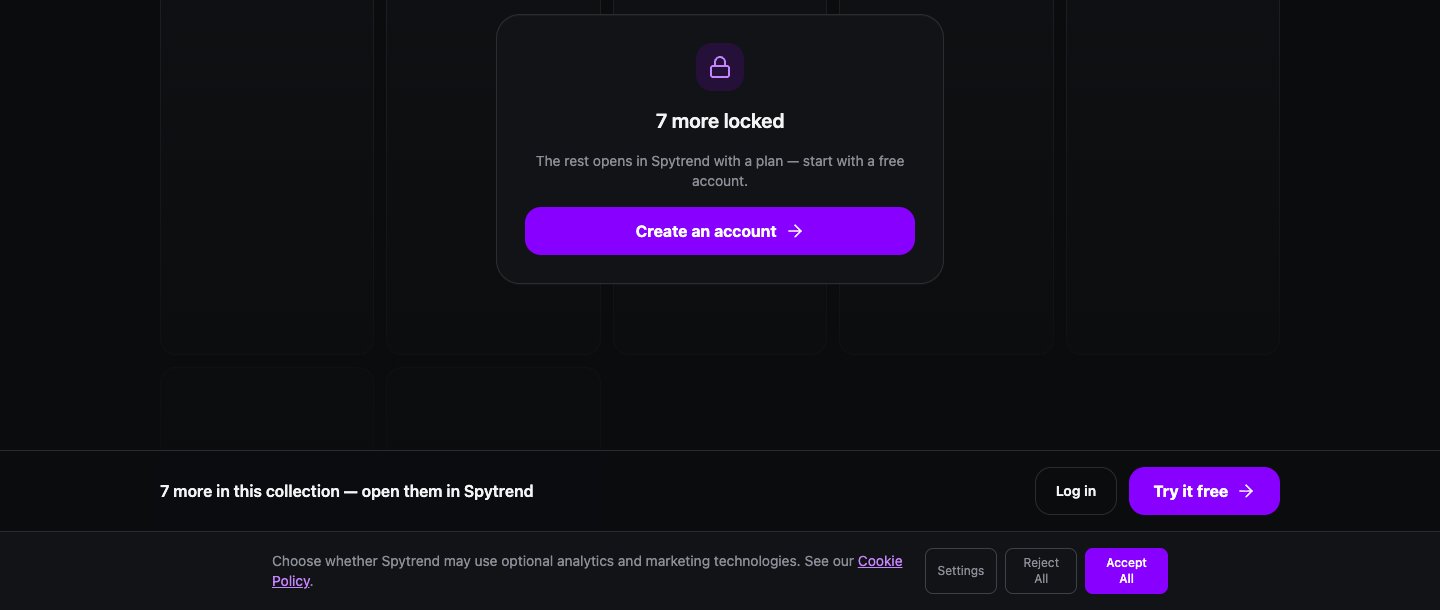
The recipient sees a collection page ("See which of your competitors' ads actually work") with all the creatives in a grid: videos play right on the page, and any of them opens in full. The first 20 creatives are open without signing in. The rest open in a Spytrend account with a plan — the visitor sees "The rest opens in Spytrend with a plan — start with a free account." A bar with a "Try it free" button stays at the bottom of the page.
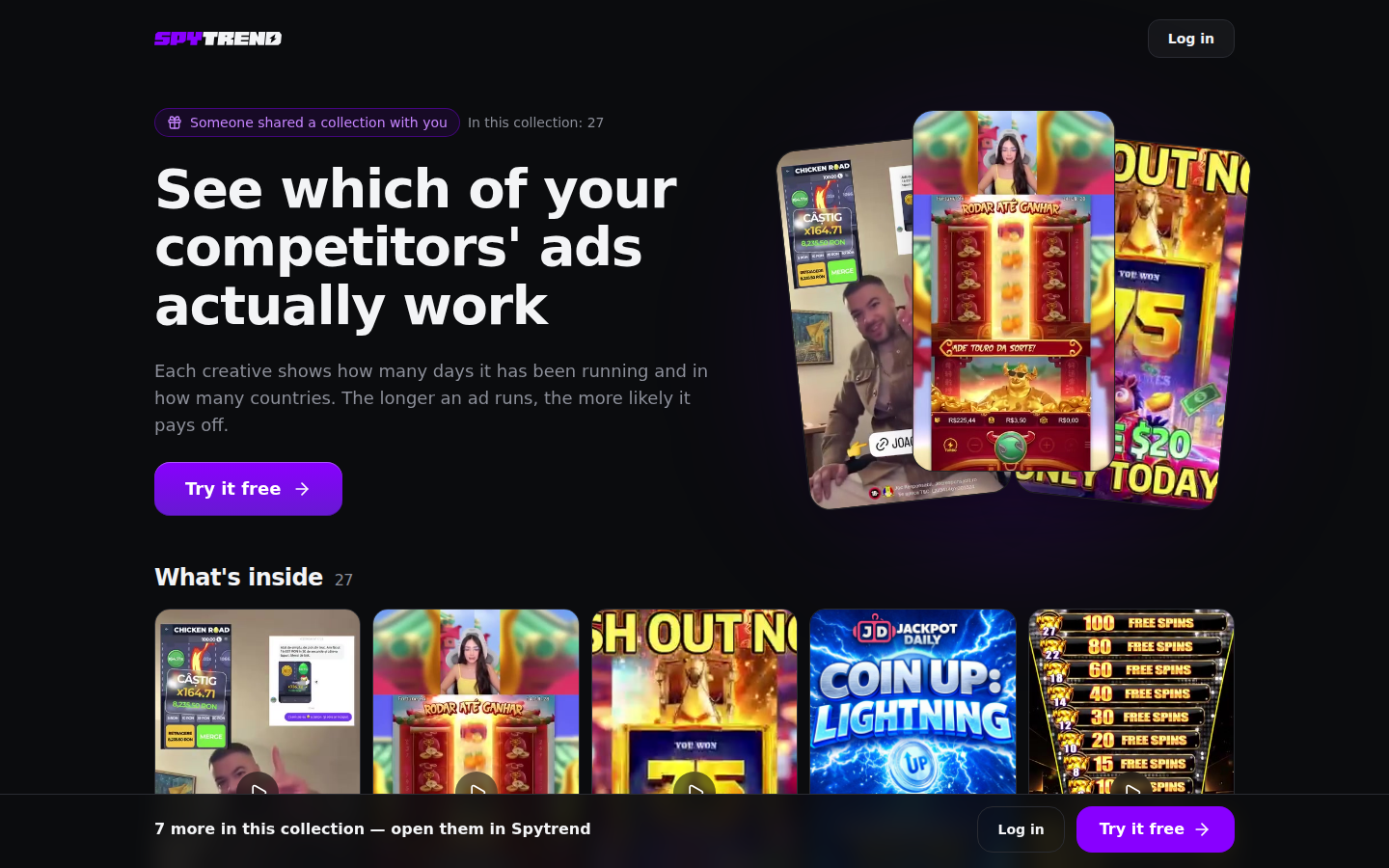
A collection holds up to 500 creatives. The link captures the folder as it is when you click. Added more creatives? Click Share again: you get a new link with the updated set, while the old one keeps opening the previous set, and you can revoke it. In Content AI you can share your Saved section the same way.
Download
Facebook ad video downloader: how to download an ad from a Spytrend link
Looking for a Facebook ad downloader? Spytrend is not a downloader by URL: it keeps its own database of Facebook ads, and any video creative in it can be downloaded from its share link once someone has shared it with you. That is a quick way to download Facebook ads to break them down or send them to a teammate. The recipient needs no account and nothing to install, as long as the link is valid (30 days).
- Open the link to a creative (or to a creative inside a collection).
- Press Download in the corner of the video.
- The file saves to your device. Keep it for a breakdown or forward it to the team.
The same page shows what a screenshot cannot: the re-upload count, the by-day chart, active days, countries and the launch date. A downloaded Facebook ad video with these numbers next to it is much easier to judge than a bare file.
4. Referrals and earnings
Whoever signs up through your link is your referral, and 20% of their payments are yours
You do not need to add anything to the link: your referral code is already in it. From there it works like this:
- 90-day attribution. The person opened your link and signed up a week later — from the home page or from search, in the same browser. They are still your referral. If within those 90 days they arrive through another user's link, the referral goes to whoever's link they came through last;
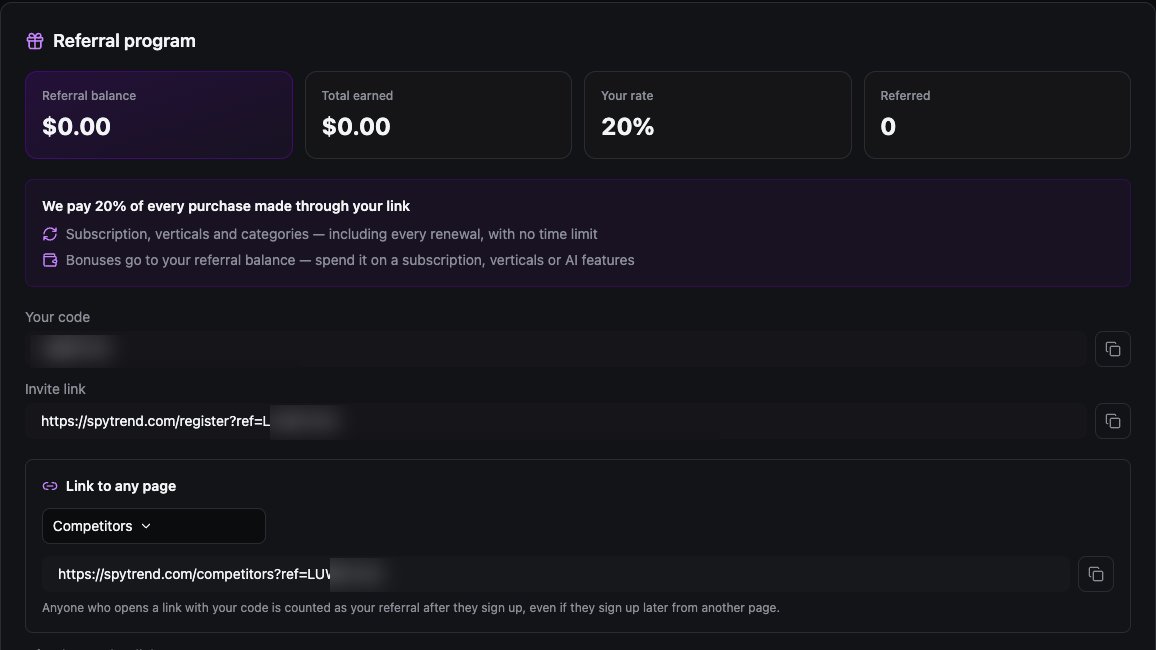
- 20% of every payment. Of every paid invoice of your referral — plan, extra categories, verticals and every renewal — for life, as long as the referral pays;
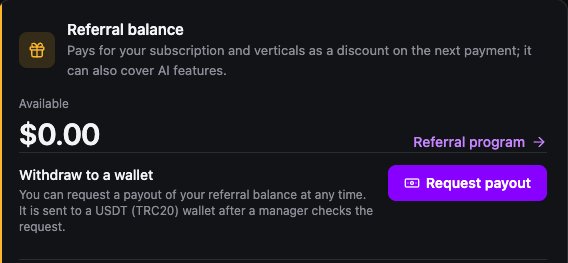
- referral balance. Earnings land on your referral balance and become available after 30 days. You can use them to pay for your own plan, categories or Spytrend AI features — or request a payout to a USDT (TRC20) wallet: a manager reviews the request.
Your code and ready-made links are in Profile → Referrals: a signup link, a link to any page of the site with your code and a Telegram bot link. The number of people referred and the earnings history are there too. The balance and the "Request payout" button are in Profile → Account.
Example: what it means in money
A referral takes Pro at 79 USD a month — one category is included — and adds a second category for 50 USD. From each 129 USD monthly payment you earn 25.80 USD. Ten such referrals make 258 USD a month, and the earnings keep coming as long as they renew.
5. Where to share
Where to share creatives so referrals come in
Links work best where creatives are already being discussed and where the person wants to open that particular creative:
- A Telegram channel or chat about affiliate marketing or media buying. A "creative of the day" or "still live after a week" column with a link instead of a screenshot: a subscriber opens it, sees how long the creative has been active and downloads the file.
- Your team. A team lead puts together a collection by GEO or offer and sends it to the media buyers as one link. Everyone not yet on Spytrend gets a reason to sign up.
- Training and mentoring. A collection of "50 winning angles in nutra" as a lesson breakdown: the first 20 are open to everyone, the student opens the full collection in their own account.
- Direct messages with a partner or advertiser. A creative with a link says more than a retelling: you can see how long it has been live and where it runs.
Example post
"Creative of the day: gambling in Poland, still active after four weeks. Video, numbers and the source file at the link, no signup needed: spytrend.com/share/c/…"
A link to a creative or a collection is valid for 30 days. For posts that should work longer — a pinned channel post, a course description — add a link from Profile → Referrals next to it: "Link to any page" leads to the section you choose, with your code.
Share what is useful to the recipient: a creative with clear numbers explains on its own why it is worth signing up.
6. Telegram bot
Share the Spytrend Telegram bot too: it earns you 20% as well
You can share more than creatives. Spytrend has a Telegram bot, @spytrends_bot: niche reports, plain-text questions and competitor ad watches right in Telegram. The bot link with your code sits in Profile → Referrals, next to the signup link. Anyone who comes to the bot through it becomes your referral on the same terms: 20% of their payments, with no time limit.
It suits Telegram channels especially well: pin the bot link next to your "creative of the day" column and subscribers can grab a first report and see how competitor watching works. How to use the bot is covered in Spytrend AI: how to use the Telegram bot.
Validity and limits
How long a link lives and how many links you can create
| What | How it works |
|---|---|
| Link validity | 30 days |
| New links | up to 30 a day |
| Creatives per collection | up to 500 |
| Creative without signup | creative, numbers, file |
| Collection without signup | first 20 |
| Revoke a link | any time |
Spytrend returns the existing link for the same creative, so it does not count against the limit. Each new collection link is a new link within the limit. If you have already created 30 links in the last 24 hours, send one you already have.
FAQ
How do I download a Facebook ad video? Is there a Facebook ad downloader?
Open a Spytrend share link to the creative and press Download in the corner of the video. No signing up is needed, and the page shows the re-upload count, active days, countries and launch date next to the file.
Does the recipient need to sign up to see the creative?
No. The link opens without signing in: the creative, how many days it has been active, countries, launch date and the Download button are available right away. In a collection, the first 20 creatives are open without signing in.
Do I need a paid plan to share?
No. Any Spytrend user can share, including on the free Starter plan. Content AI videos need access to Content AI.
How much do I earn from a referral?
20% of every referral payment: plan, extra categories, verticals and renewals. There is no time limit — earnings continue as long as the referral pays.
Can I withdraw my referral balance as money?
Yes. Profile → Account has a "Request payout" button: the available balance goes to a USDT (TRC20) wallet after a manager reviews the request. You can also spend the balance on your own plan, categories or AI features.
What if the person does not sign up right away?
The referral is attributed to you for 90 days after they open the link, if they sign up in the same browser — even later and from another page of the site. If within that time they arrive through another user's link, the referral goes to the last link.
How long does a link live, and what does the recipient see when it expires?
A link is valid for 30 days. After that, or if you revoke it, the recipient sees "This link is unavailable" with a suggestion to ask for a new one. For long-lived posts, add your referral link from Profile → Referrals.
How many creatives can I send in one link?
Up to 500 in one collection. The recipient sees the first 20 without signing in, the rest in an account with a Spytrend plan.
Try it now: open Ads, find a creative that has been running for a long time and send the link to someone who will find it useful. How to find creatives that are scaling right now is covered in our article on Trends. You can share the bot too — here is how it works. Plans are on the Pricing page.