Explore nutra offers through creatives and analytics
Research nutra offers with Spytrend’s «Nutra Affiliate» subscription. Explore 350,000+ ad creatives per month across 25 niches, review landing techniques and track daily ad activity.
- 350,000+ ad creatives per month
- 25 nutra niches
- 2,100+ nutra offer landing sites

Spytrend database, October 2026
How Nutra Affiliate differs from searching nutra in the general feed
In the general feed every ad has a topic category such as «Healthcare and Medical», which puts everything about health together. Nutra Affiliate is built differently: by the offer page.

One card shows both labels: the ad’s general topic and the vertical with the offer’s niche.
Nutra, Crypto and Web2App: each with its own markup
Each section is a separate subscription with its own markup of offers or funnels. Open the one you work in.
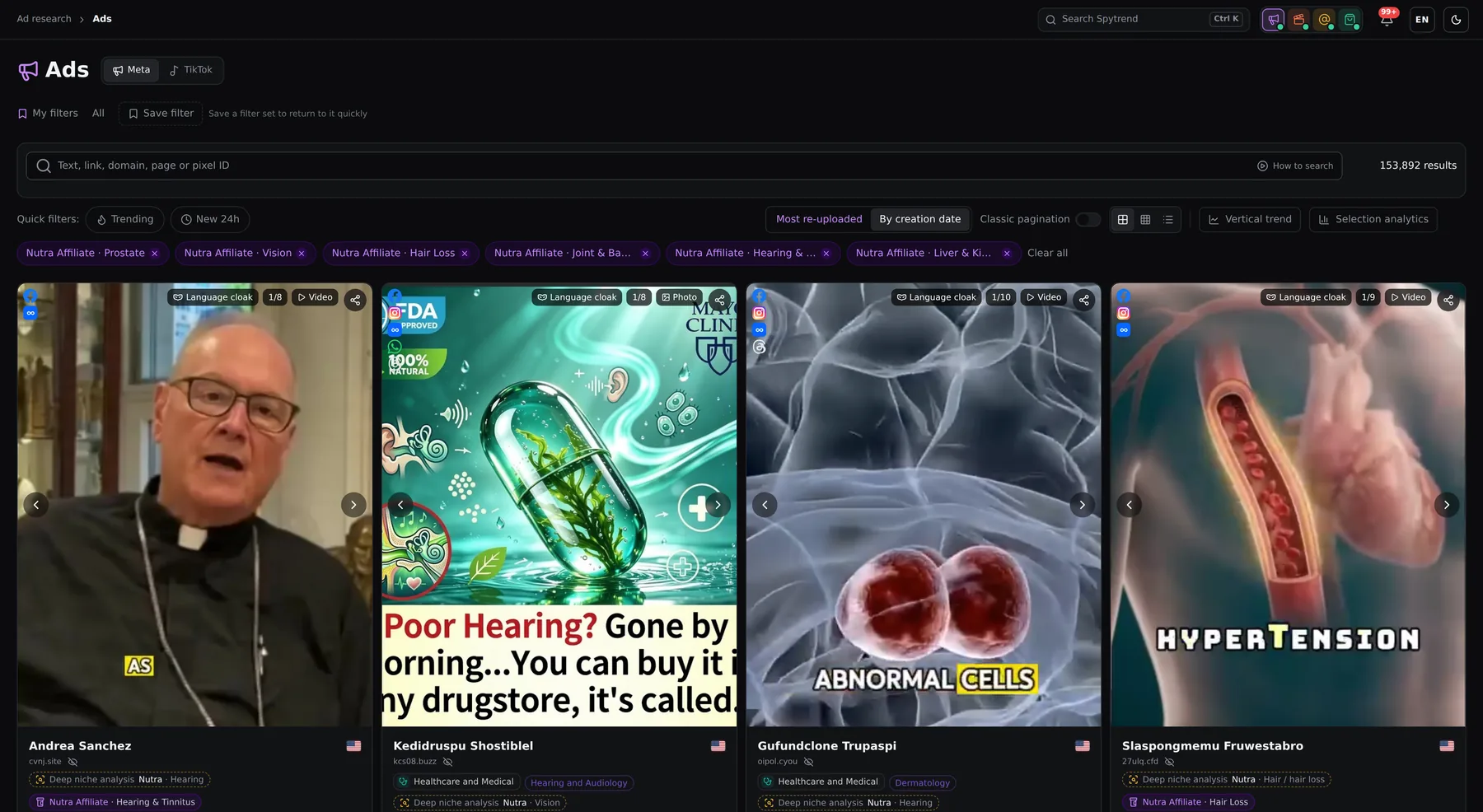 Nutra Affiliate490K+ nutra ads
25 niches from weight loss to prostate, landing techniques, brands and a day-by-day trend.
You are here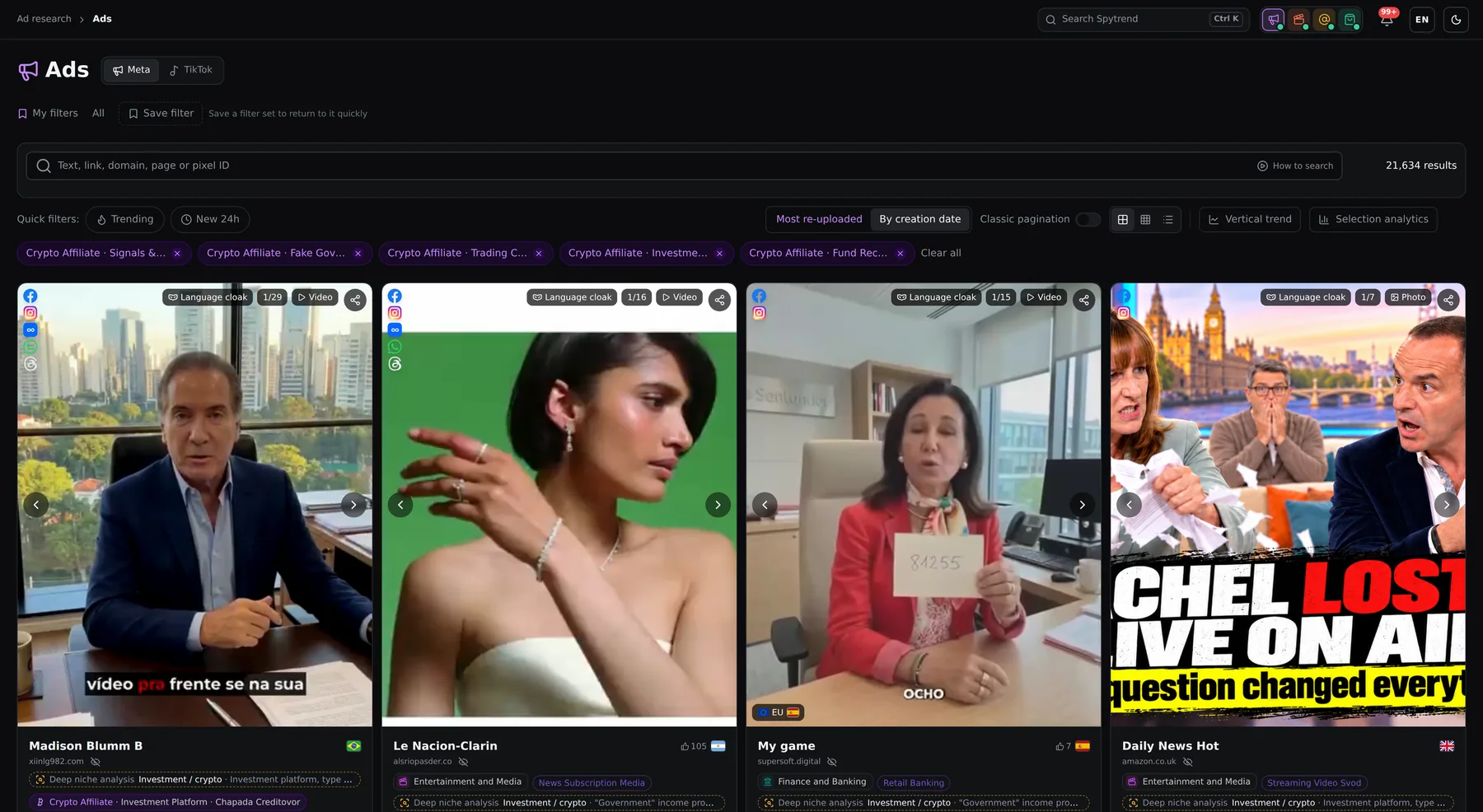 Crypto Affiliate56K+ crypto ads
7 schemes from AI trading bots to «government programs», landing techniques and a day-by-day trend.
Open the landing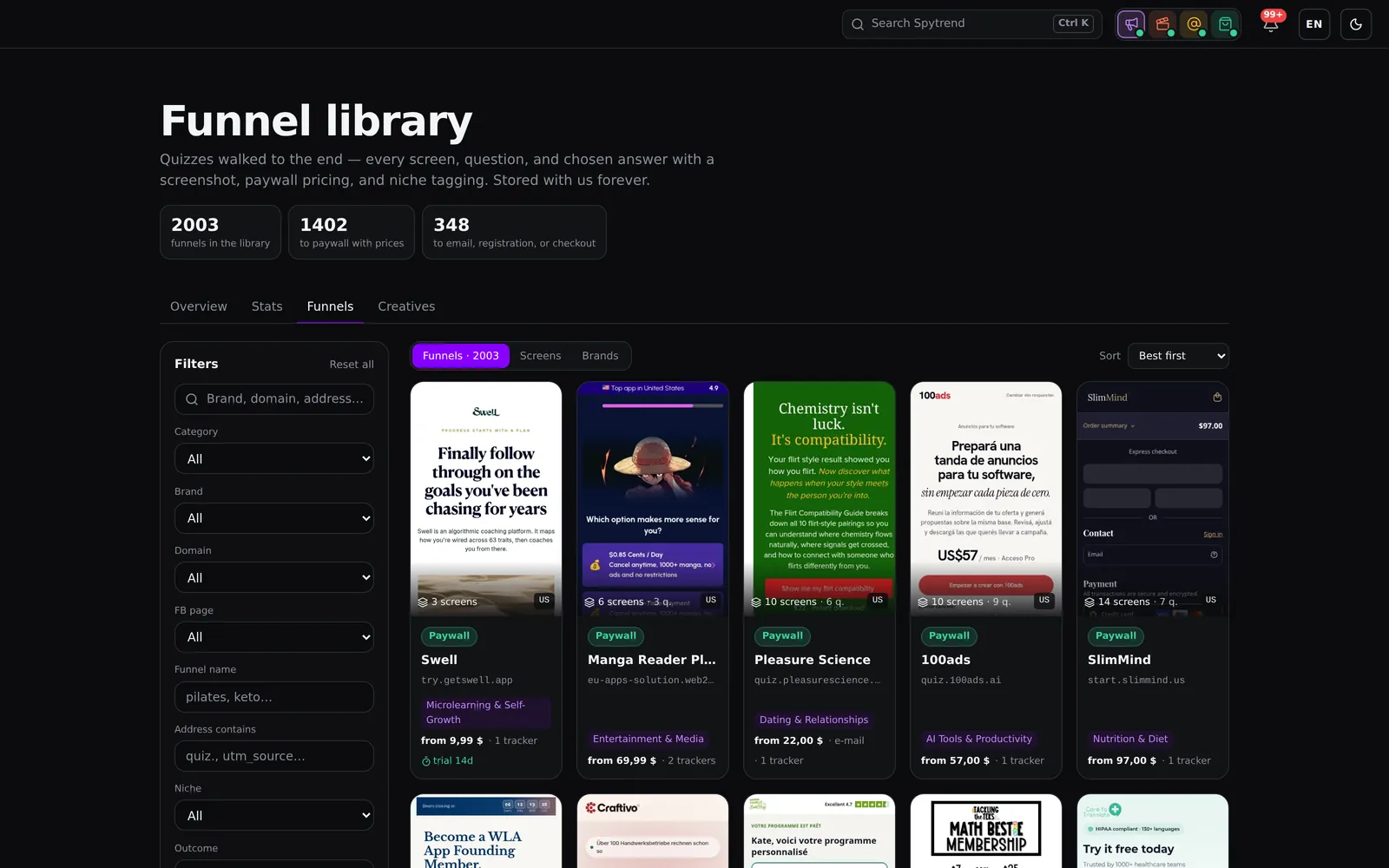 Web2App2,000+ quiz funnels
Competitors’ quiz funnels walked through to the end, the paywall plans and the market by month.
Open the landing


Explore weight loss ads and other nutra niches
Use «Vertical & Offer» to explore 25 niches, including weight loss, prostate, liver and kidney, diabetes and blood sugar, joints and back, vision, and hearing and tinnitus.
- Weight Loss132K+
- Lungs & COPD69K+
- Prostate61K+
- Hearing & Tinnitus26K+
- Liver & Kidney24K+
- Male Potency23K+
- Parasites & Detox21K+
- Vision18K+
- Diabetes & Blood Sugar16K+
- Joint & Back Pain16K+
- Neuropathy12K+
- Heart & Blood Pressure8K+
- Hair Loss7K+
- Memory & Brain6K+
- Digestion & Gut3K+
- Bladder & Incontinence3K+
- Other Conditions3K+
- Nail & Foot Fungus3K+
- Varicose Veins3K+
- Immunity2K+
- Cancer Cure Claims2K+
- Skin Conditions1K+
- Hemorrhoids1K+
- Addiction (Smoking, Alcohol)900+
- Pain Relief & CBD300+
Ads in the base for each niche, all time, rounded down.
See the ads behind the analytics
Explore brands, niches, landing techniques and celebrities, with shares and example ads. Open individual ads to inspect their creatives, countries, activity dates, upload languages and similar ads.

Choose a niche by its ad count
“Vertical & Offer” lists Nutra Affiliate niches with ad counts beside each one. Compare the volume available in weight loss, lungs and COPD, prostate, and other niches before you pick a niche to dig into.
Assess the creative in its feed context
Each ad card brings together the creative, advertiser, country flag, and vertical and niche badge. Check the GEO and niche at a glance before opening the ad.

See which celebrities appear in ads
The “Celebrities” view in “Nutra Affiliate — what's inside” shows the people ads use, with ad counts and shares. Open the example ad for each name to see how the celebrity is worked into the creative.

Compare landing techniques by share
The “Techniques” view ranks landing techniques by share, including fake reviews or chats, fake TV segments, timers and impersonating an authority. Use the ranking to see which lander formats dominate the vertical right now.

Identify the brands ads draw on
The “Brands” view shows the brands and media names used in ads, with counts and shares. Open the example ad for each name to see how the brand or media reference is used.

Track changes in daily ad activity
“Day-by-day trend” plots new nutra ads per day, with separate brand lines for comparison. See which brands are adding more ads and which are adding fewer.
Use ad activity to focus your research
Shares show which brands, niches, landing techniques and celebrities appear in the ads. Daily counts show how activity changes, while example ads let you examine the creative behind each pattern.
Follow changes in ad activity
Explore landing techniques
Research your target countries
From niche selection to creative review
Choose a niche and country
Open «Vertical & Offer» in the Spytrend ad feed and select «Nutra Affiliate». Choose a niche, then narrow the feed by country, platform and dates. Each ad card shows its vertical and offer niche.
Compare shares and daily trends
Open «Nutra Affiliate — what's inside» for brands, niches, landing techniques and celebrities, with shares and example ads. Click a niche to filter the feed. Select «Vertical trend» to open «Day-by-day trend» and explore daily counts of new ads.
Inspect the creative and landing page
Open an ad to review its creative, countries, activity dates, upload languages and similar ads. Where a saved landing copy is available, «Download landing» provides a screenshot of the offer page and a download link.
Find successful webmasters and explore their winning campaigns
“Ad research” links ads by pixel, landing page domain, Page ID and IP, bringing a webmaster’s entire ad network into one profile. It is a separate subscription you can get alongside Nutra Affiliate.
Webmaster profile
A webmaster's whole ad network in one profile: the ads, landing pages and setups they scale.
Linked by 4 IDs
Ads are grouped by pixel, domain, Page ID and IP. When a webmaster switches pages, their campaigns stay in one profile.
Search by Pixel ID
Enter a Pixel ID to see every ad, landing page and domain using that pixel. Discover connections between campaigns.
Days in rotation
See how many days an ad has been running. 5+ days is a market signal, not a guarantee of profit.
Telegram bot
Watch a domain, page or advertiser in @spytrends_bot — the bot messages you when new ads launch.
Creatives without duplicates
Instead of 50 copies of one banner — one unique creative with data on where and how much it runs.
Nutra Affiliate plans
A separate subscription: pay per month or per year and the section opens right away.
Separate subscription
Nutra Affiliate
350,000+ creatives and ads a month. Nutra only — no other verticals.
A separate section built on our analysis of offer landing pages — not the same as the ad categories in your plan.
What's included
- Sort by vertical and product: conditions, niches, products
- We pierce the cloak and mark up every landing in detail
- Download the landing in one click
- Creative, GEO and offer page — new every day
- Secure payment via Stripe
- Cancel anytime
Frequently asked questions
Nutra Affiliate is for health product creators who sell through affiliate programs, as well as nutra advertisers. It helps them follow trends in their target countries and see which creatives and approaches are currently in use. Top webmasters can keep a finger on the pulse of their niches by tracking current creatives and approaches.
The subscription covers nutra only, with 350,000+ ad creatives per month across 25 niches. It includes niche filtering, ad details, country analytics, daily new-ad trends, and analytics for brands, niches, landing techniques and celebrities.
No. «Nutra Affiliate» is a separate subscription available on its own or together with «Ad research». Access the section inside the Spytrend ad feed through «Vertical & Offer».
Yes, when an ad has a saved landing copy. «Download landing» provides a screenshot of the offer page and a download link.
Open “Vertical trend” to view “Day-by-day trend”. See daily new-ad counts for the whole vertical and compare activity by brand, niche, landing technique or celebrity.
Volume and depth of markup. Every month Spytrend adds 350,000+ nutra ads across 25 niches. We get past the cloak and label the offer: niche, product and landing techniques. So you see not only the creative but the real landing page and the path to the offer, and a ready copy of the landing downloads in one click.
Start with a niche, then explore the ads
Filter the feed, compare brands and landing techniques, and follow daily trends to focus your next creative review.